Lumina is a modern library system with a quiet desk, a catalogue readers love, and a path out of Koha that does not take your weekend. Circulation, MARC cataloguing, two mobile apps, a gate check for the door.
723 API endpoints101 data models1,822 API tests
Eliot, George, 1819-1880.
Middlemarch : a study of provincial life.
020 ‡a 9780141439549
245 ‡a Middlemarch ‡b a study of provincial life
650 ‡a Provincial life ‡v Fiction
082 ‡a 823.8 ‡2 23
01 · Why
02 · A book's life
Seven moments, one system. Scroll, and the real product follows along.
- On order
Acquire
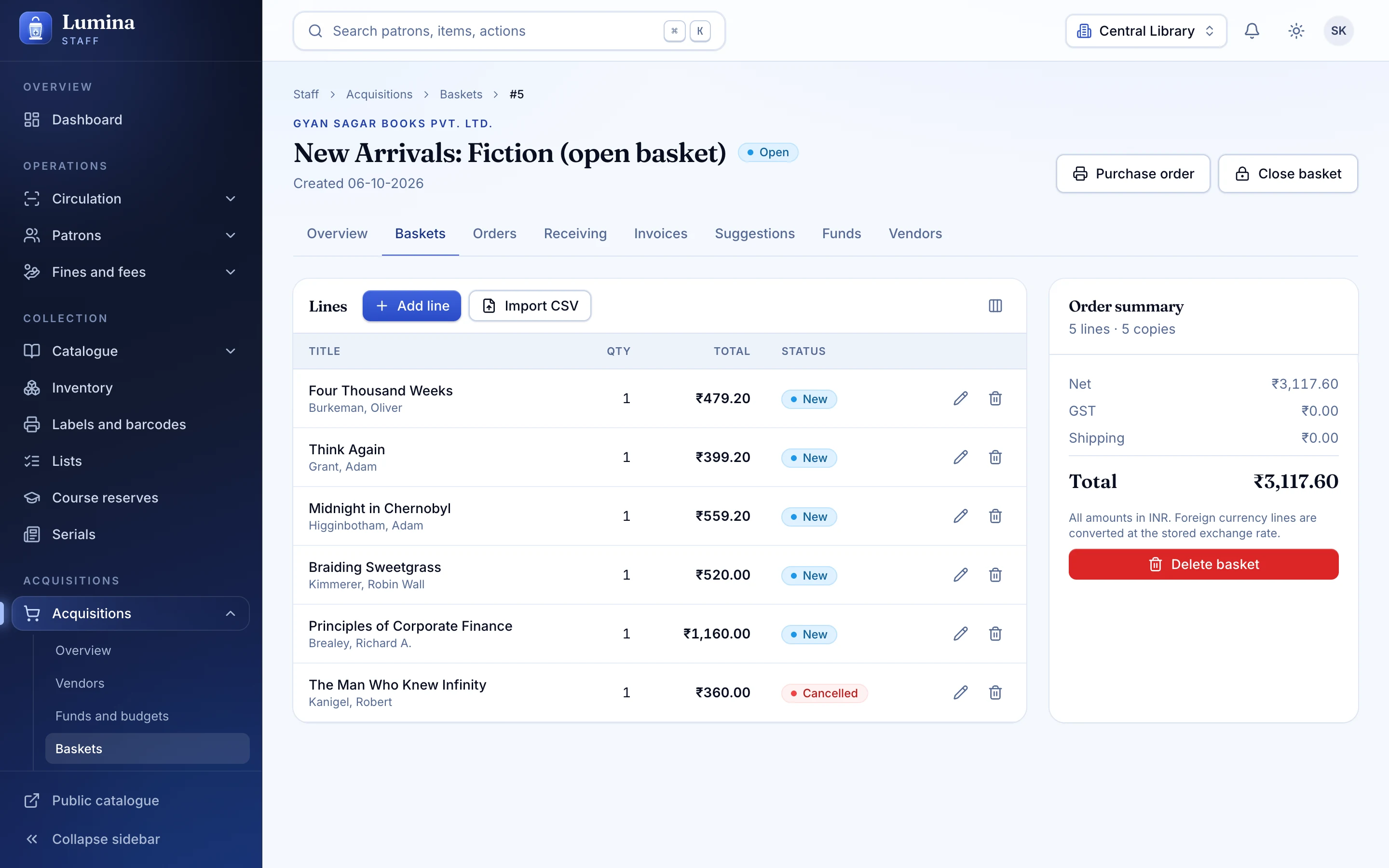
A suggestion becomes a basket, a basket becomes an order against a fund, and the invoice does the GST arithmetic. When the parcel arrives, receiving is one scan.
- Catalogued
Catalogue
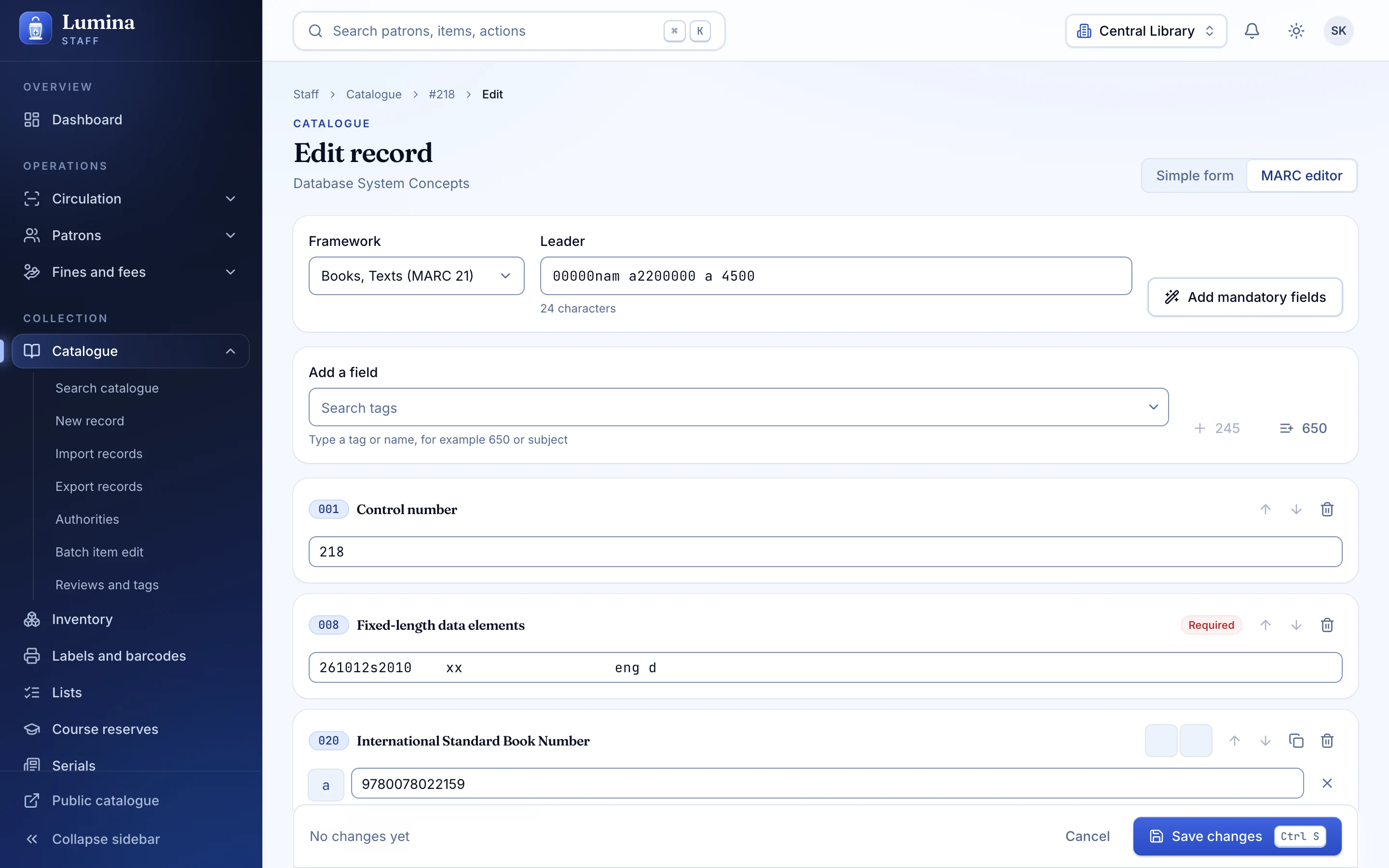
Look the ISBN up in Open Library or Google Books, open the MARC21 editor with your framework, and let duplicate detection catch the copy you already own.
- Labelled
Shelve
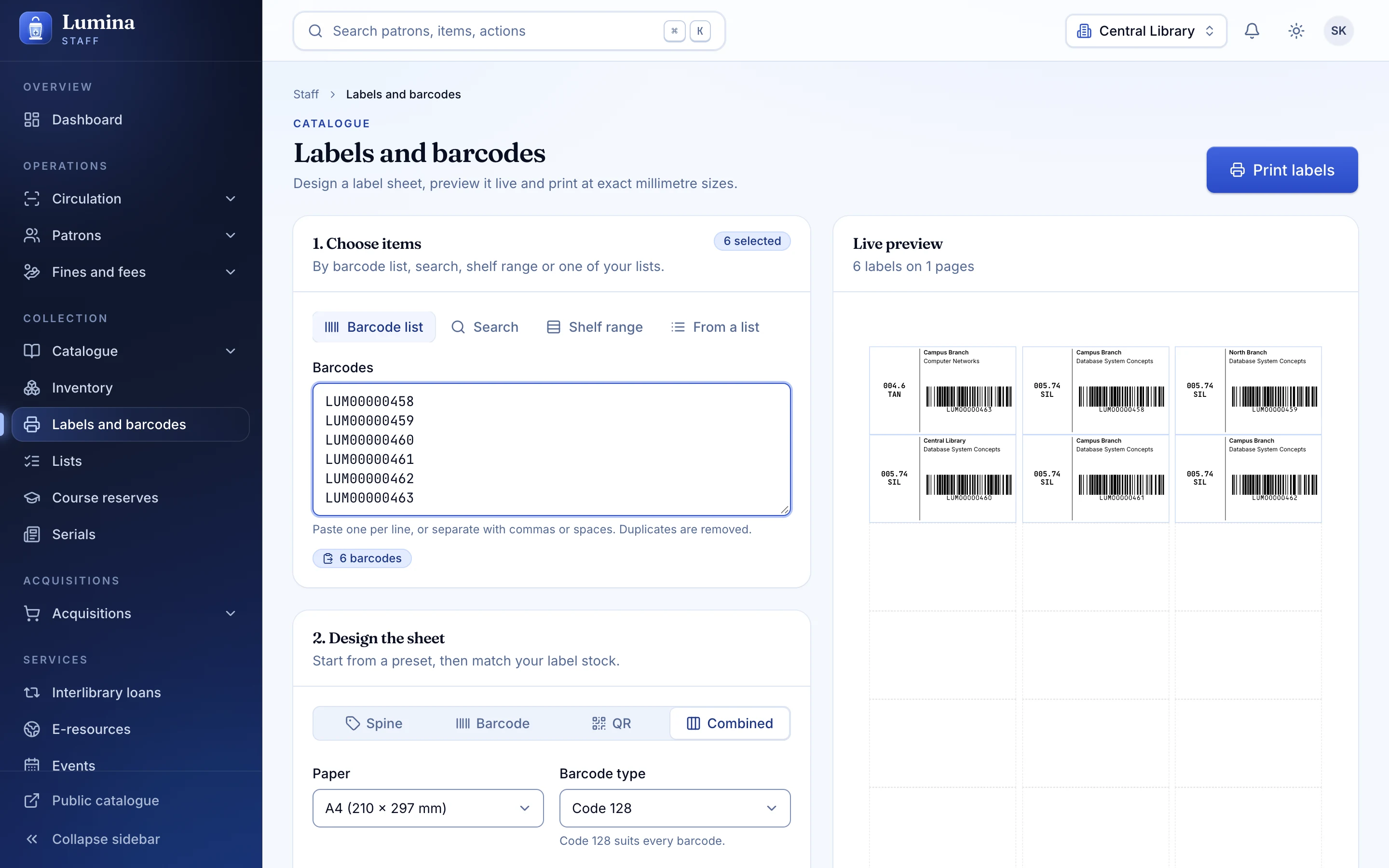
Print spine labels with a Code 128 barcode and a QR code. One scannable identity for the book, whatever the reader in your hand prefers.
- On the desk
Scan
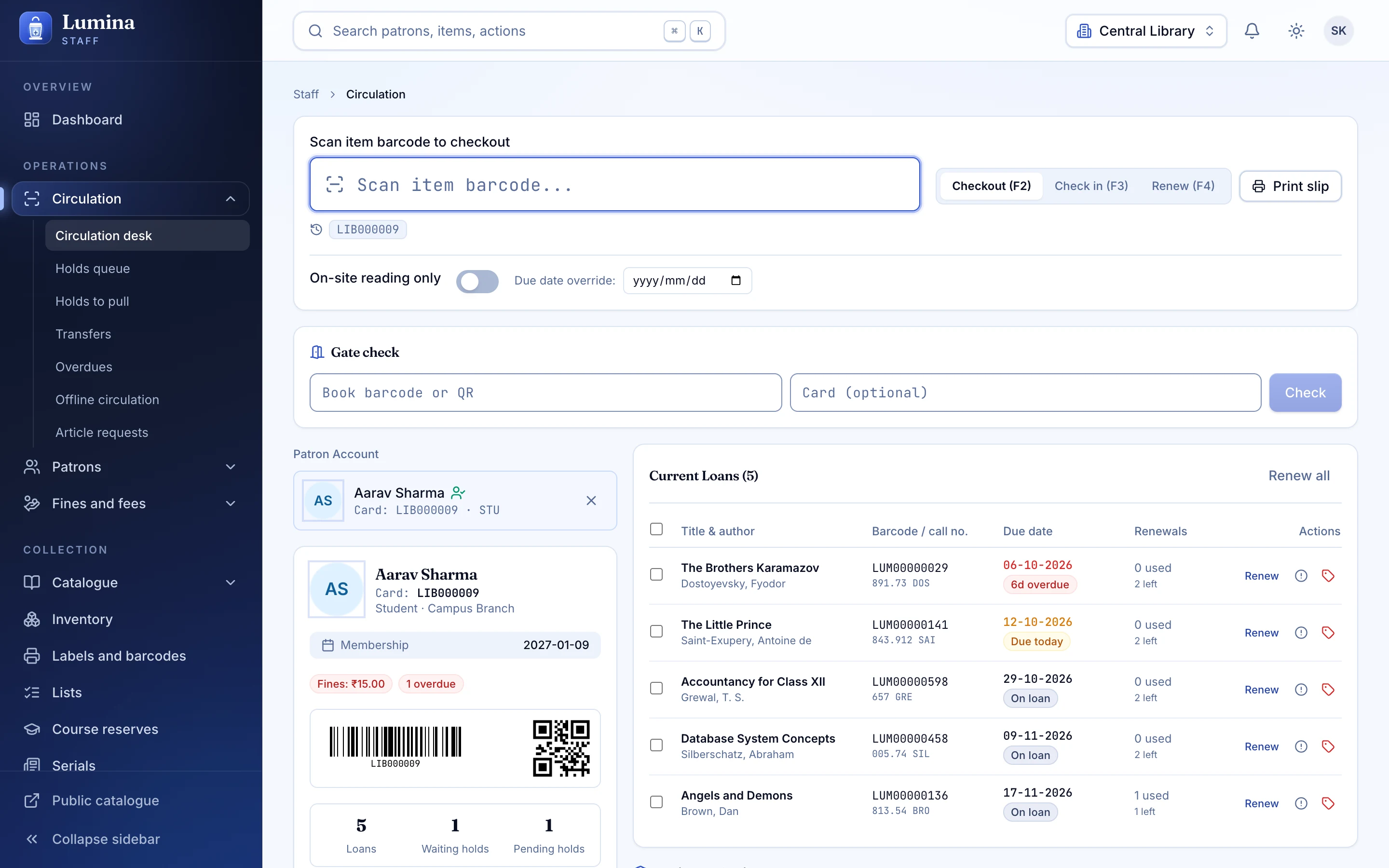
The circulation desk takes the scan, anywhere on the screen. Member first or book first, either way the answer arrives before you look up.
- Issued
Issue
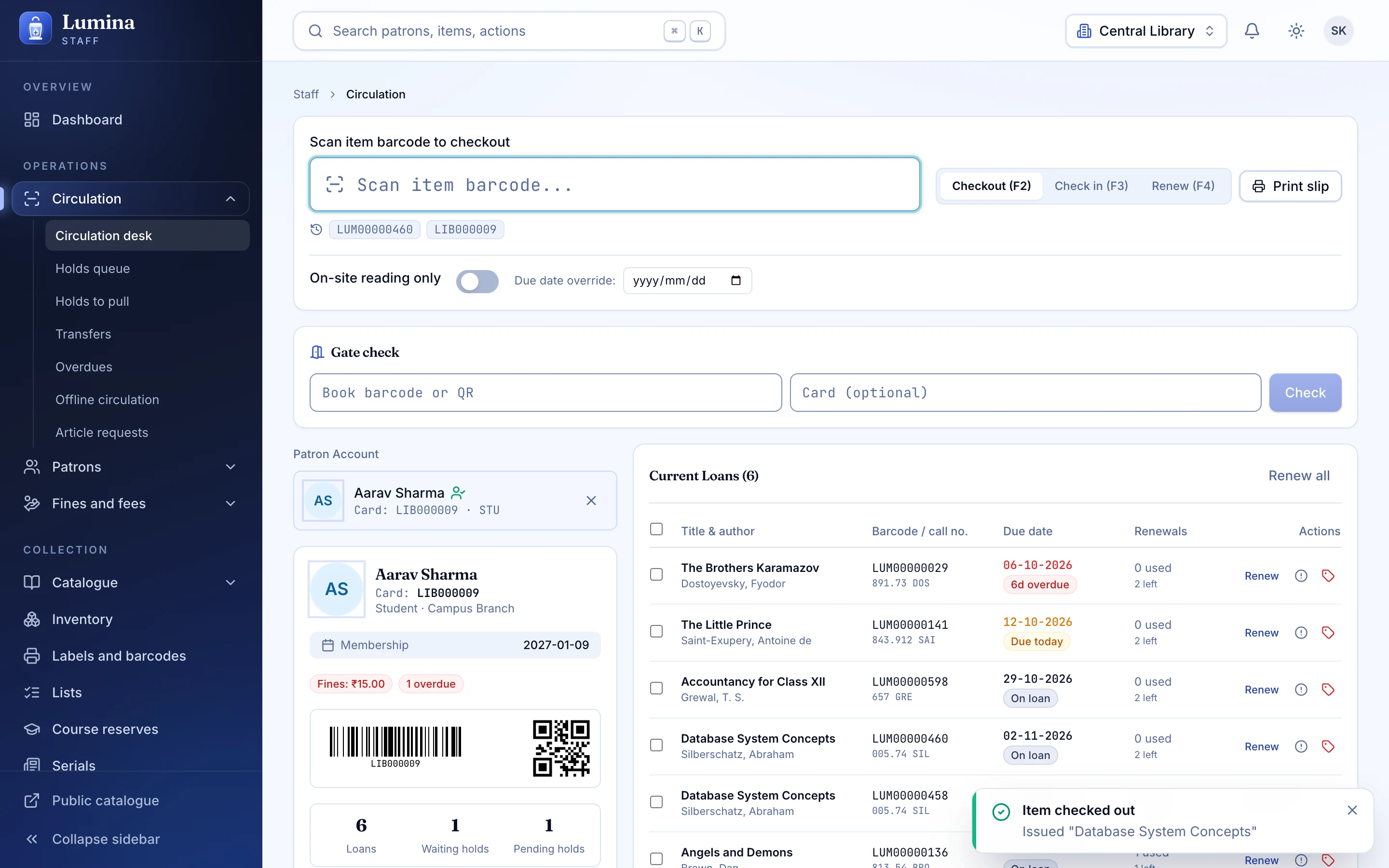
Checkout returns one of three honest answers: fine, needs your confirmation, or blocked, always with the reason. Due dates come from your circulation rules and your calendar.
- Gate check
Gate check
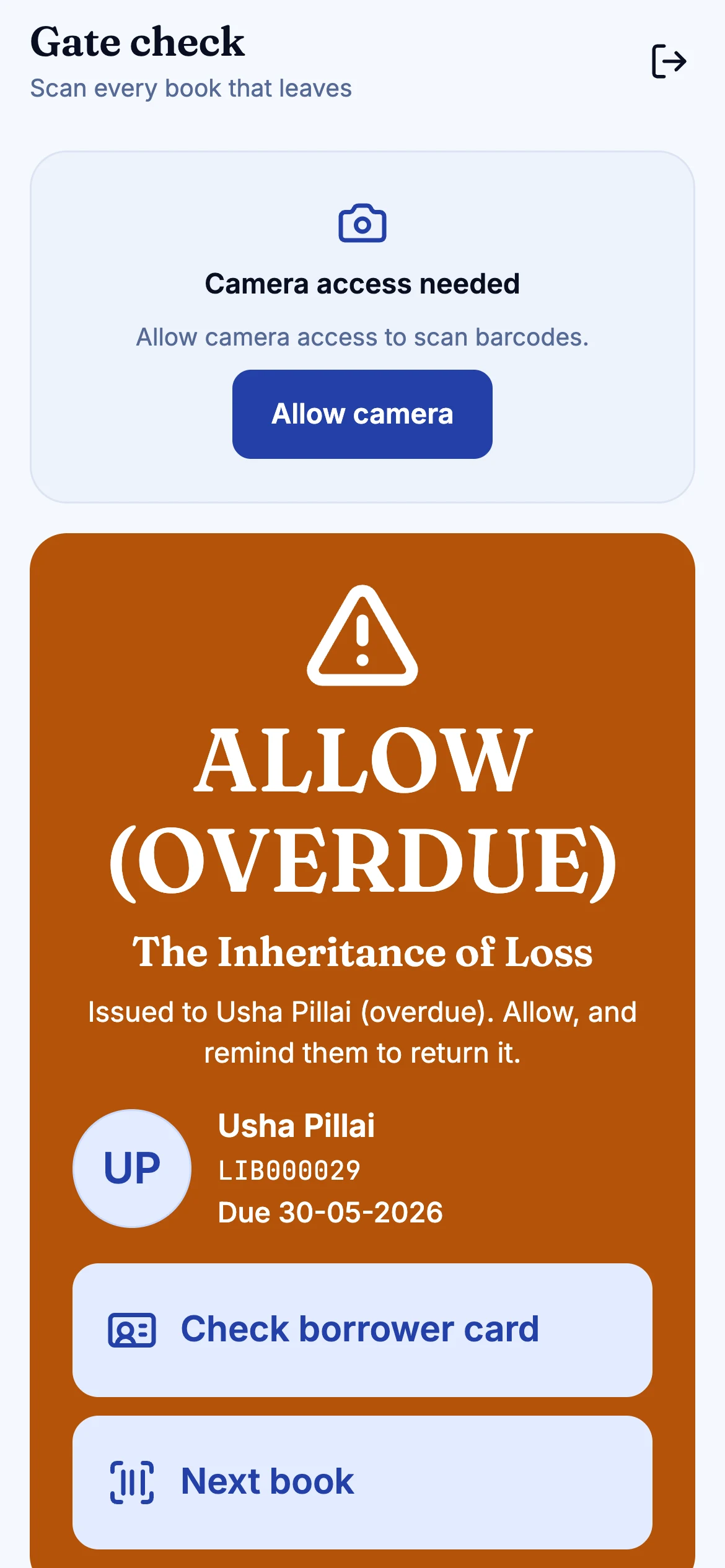
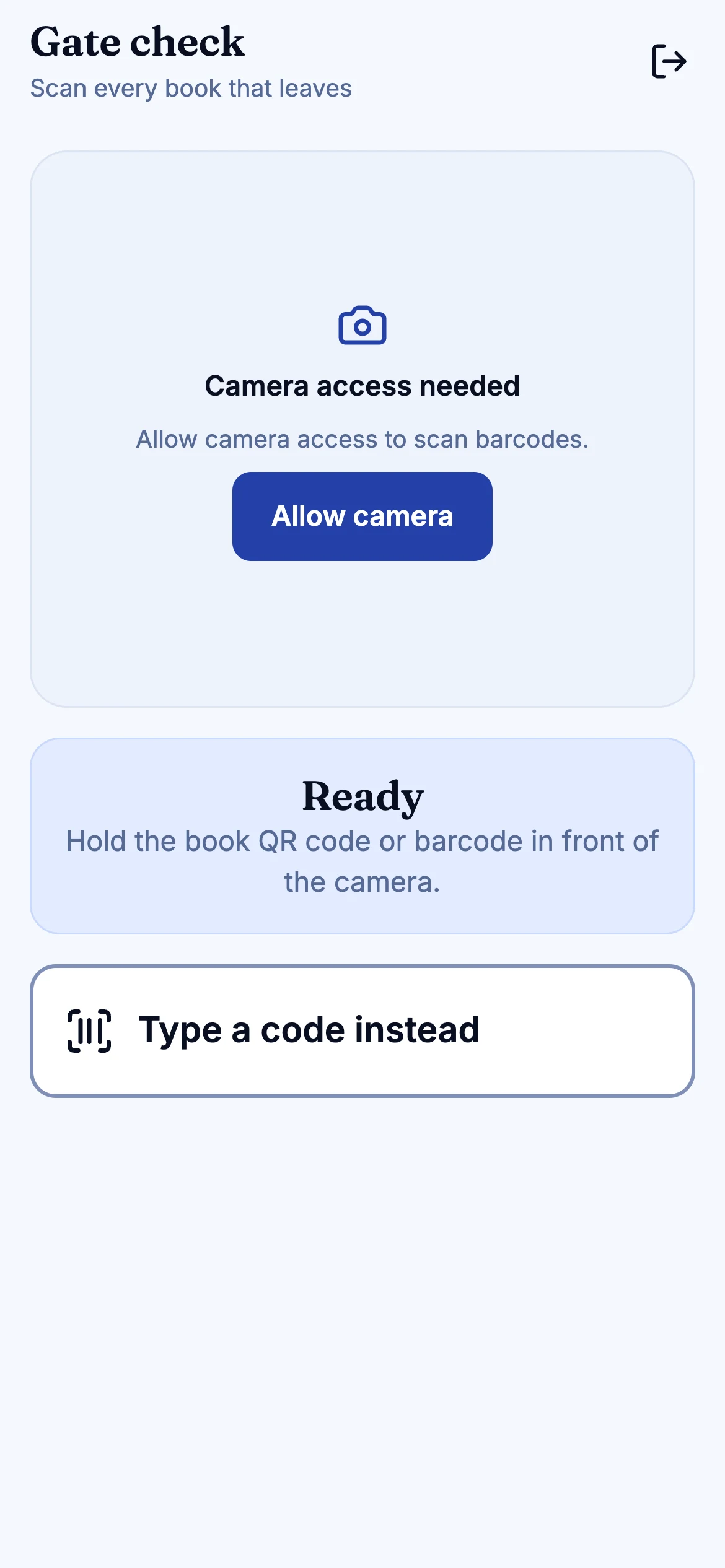
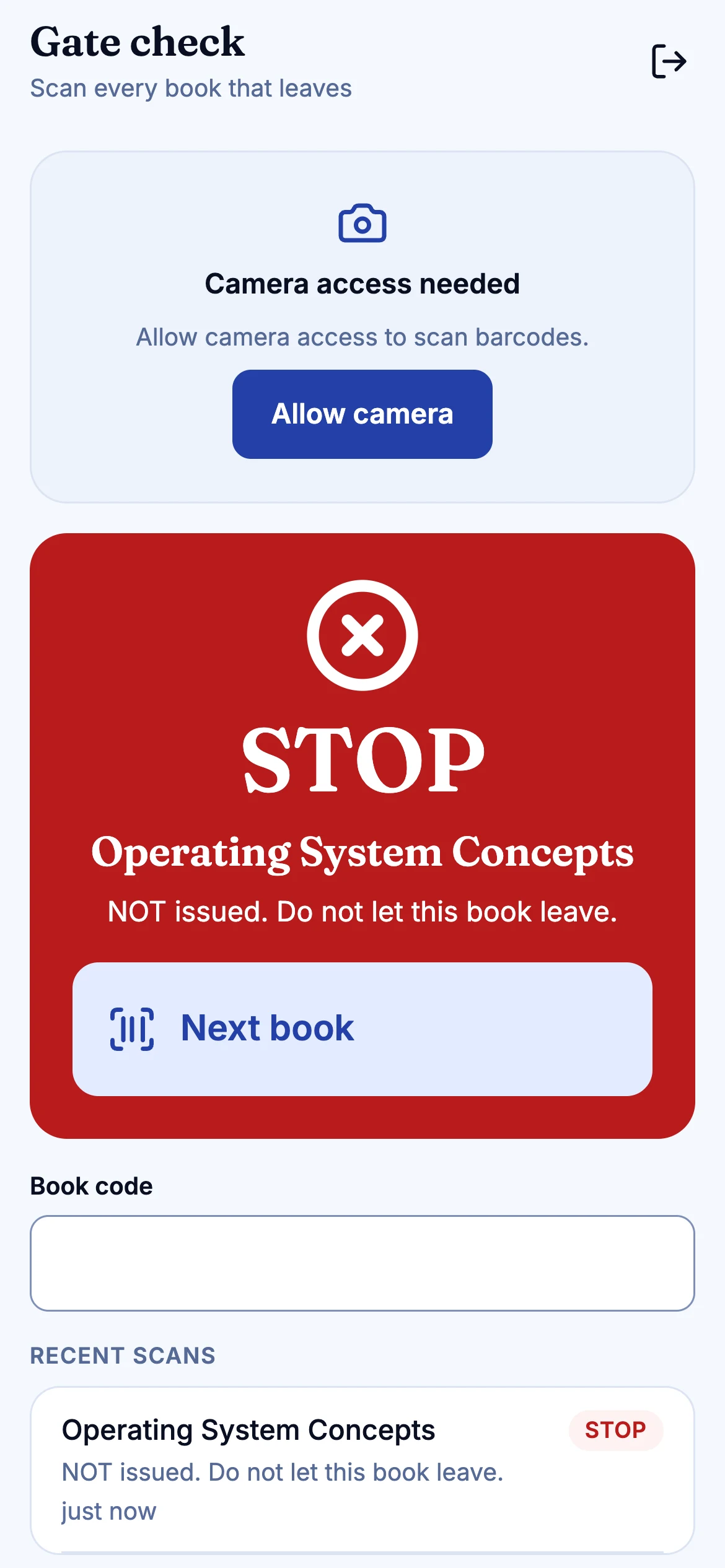
At the door, the guard scans the book's QR and sees allow, allow-but-overdue or stop, with who it is issued to and the due date. No catalogue access needed.
- Returned
Return
Check-in clears the loan, raises any fine, and moves the hold queue along. The next reader's hold lands on the shelf with a slip.
03 · At the door
The guard role sees one screen: green to allow, amber to allow and remind, red to stop, plus who has the book and when it is due. This is a small illustration of that flow; the real screens are below.
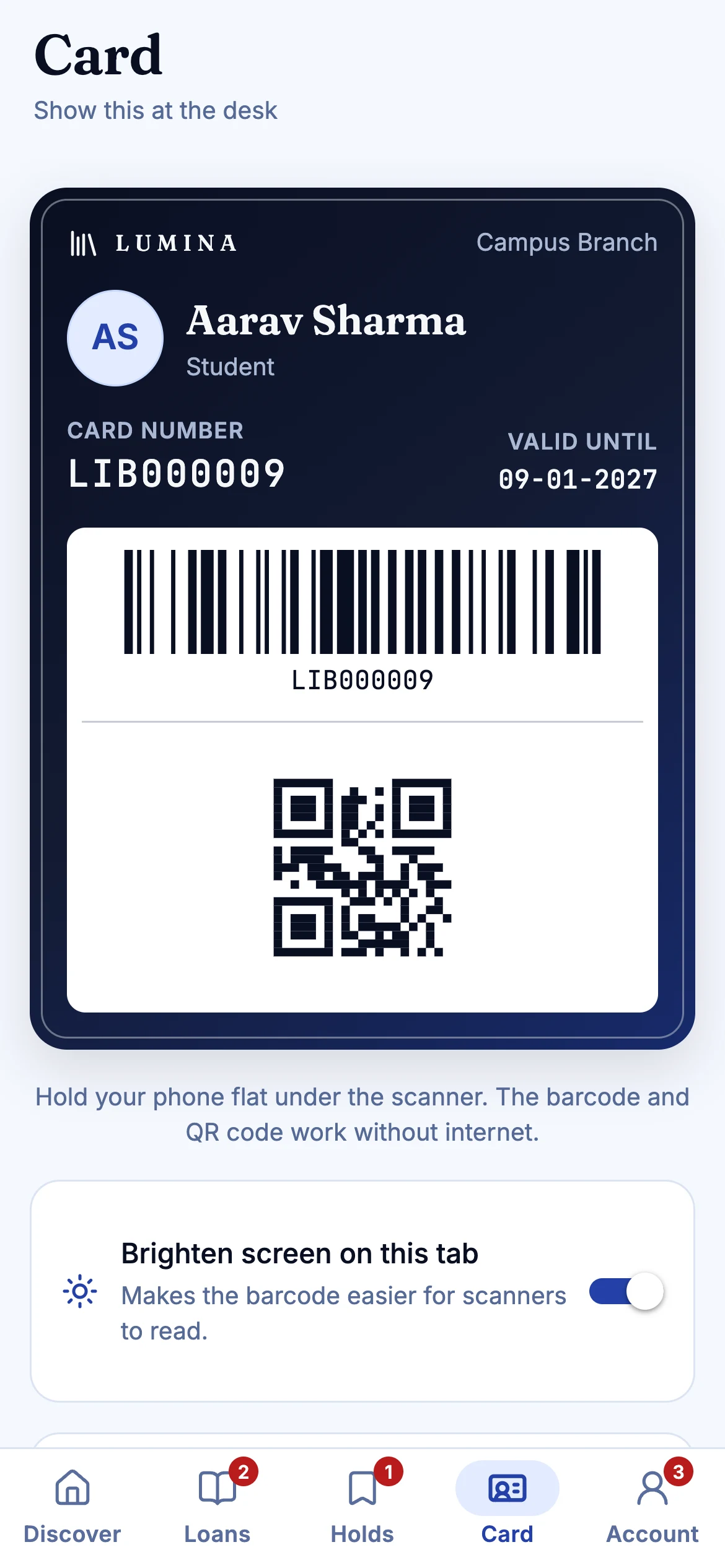
Every book and member card carries a Code 128 barcode and a QR code.
AllowAllow (overdue)Stop
Issued to Asha Verma, Class 9B. Due 18 Oct.Issued to Asha Verma, Class 9B. Was due 12 Oct. Allow, and remind them to return it.Not issued. Do not let this book leave.
SAMPLE DATA · QR scan at the gate
04 · The shelf
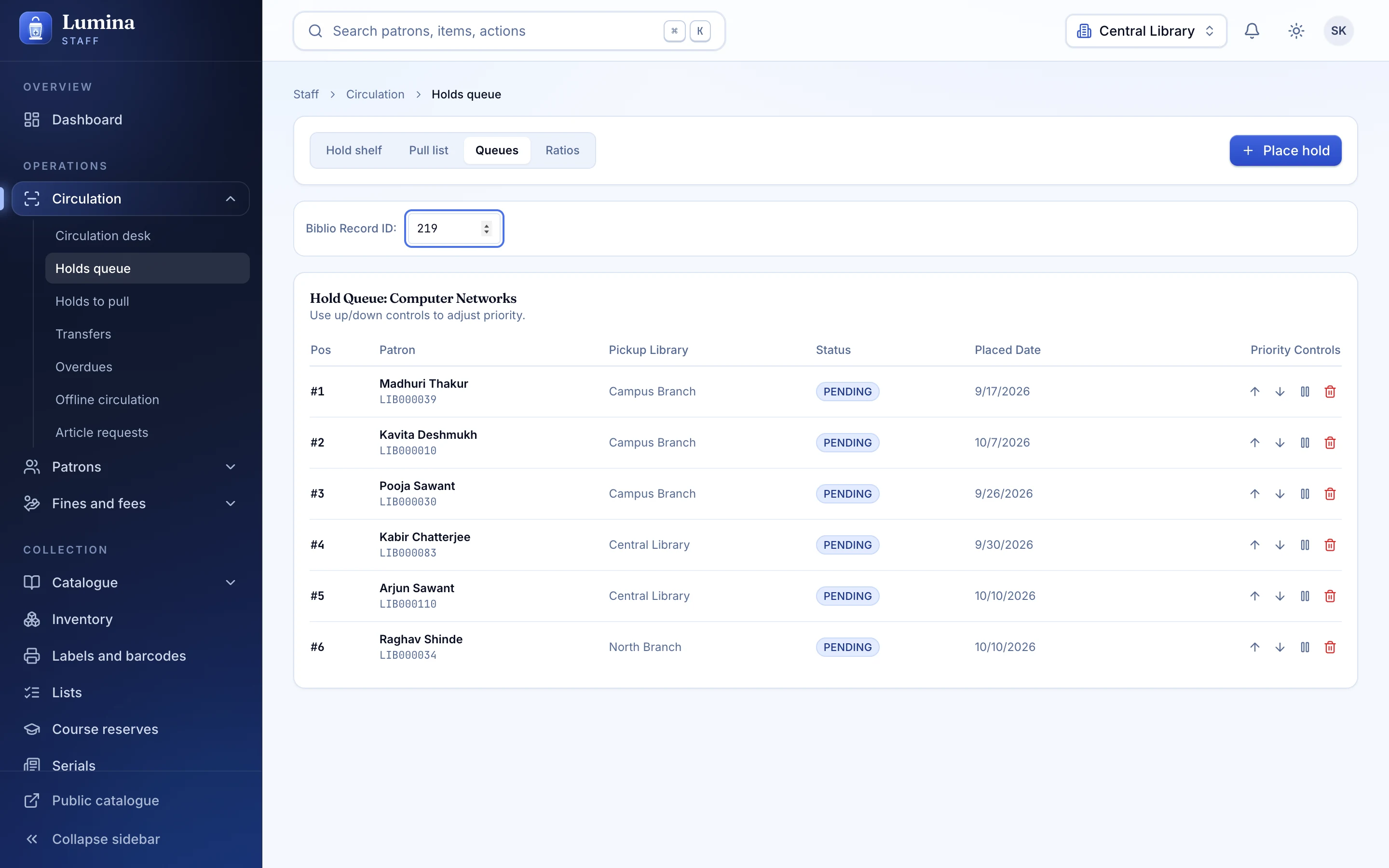
Staff console, public catalogue and mobile apps, captured from the running product. Scroll sideways, or use the arrows.
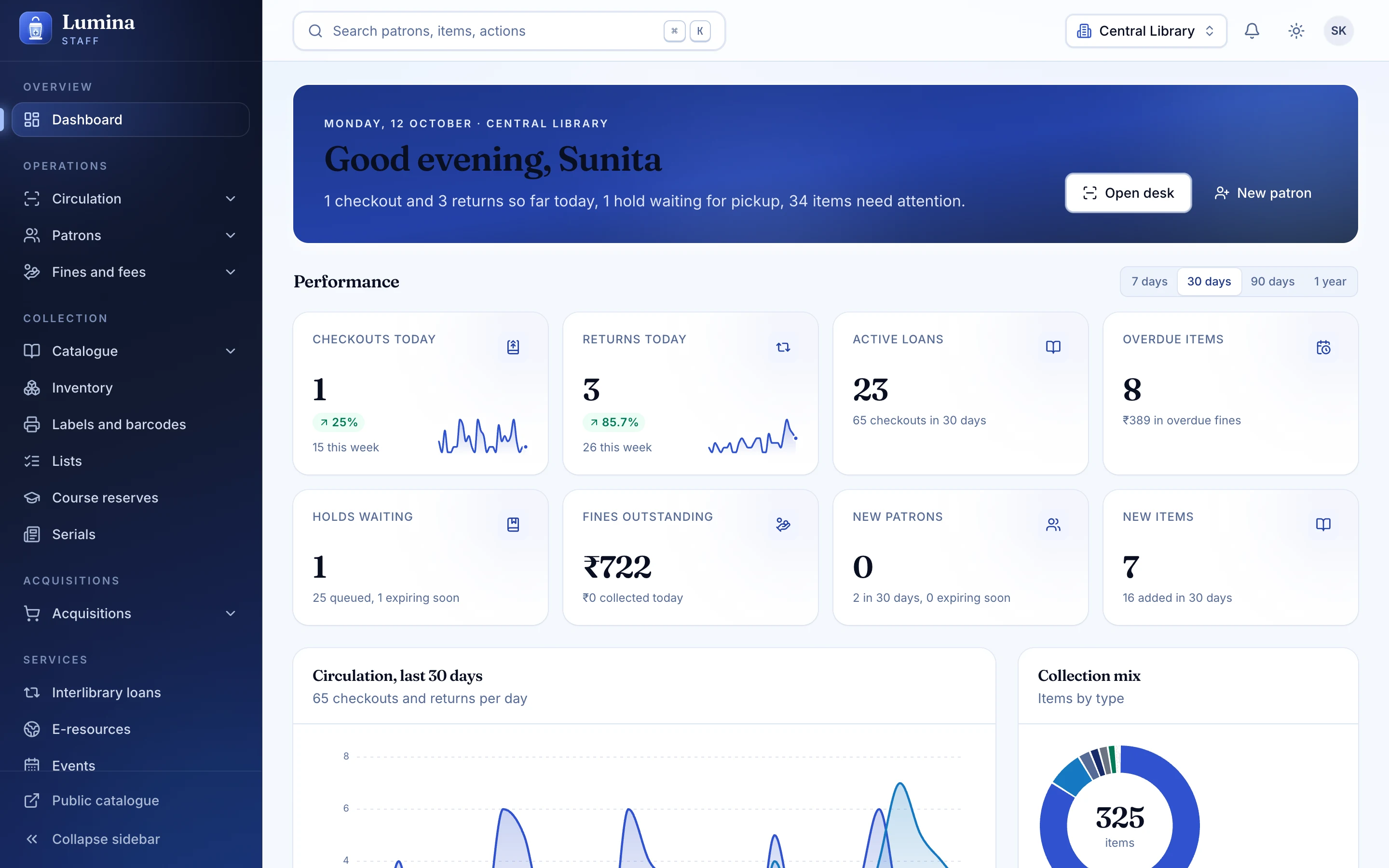
The librarian's morning
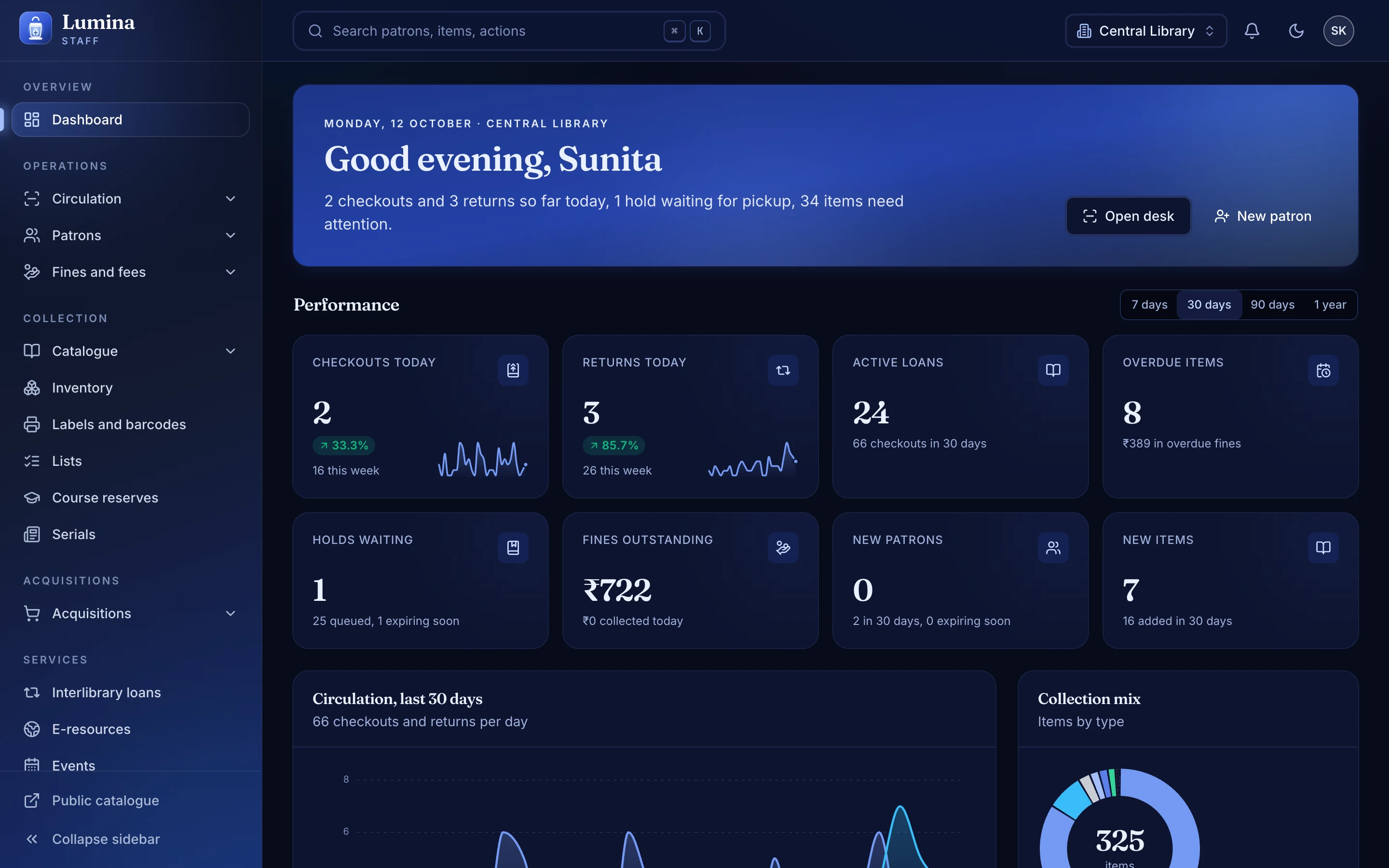
Loans, holds, overdues and what needs attention, on one calm page.
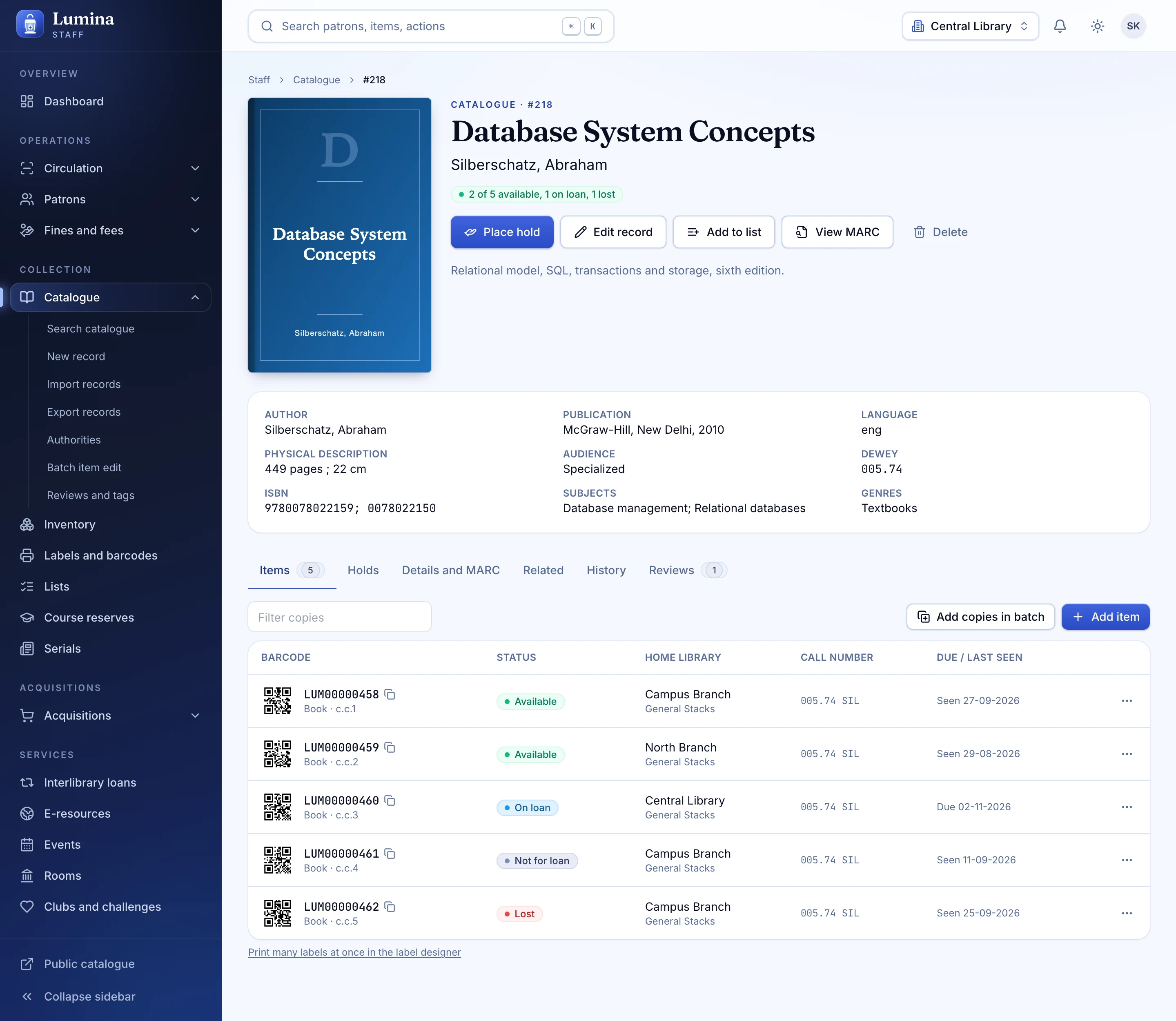
A record that reads like a book
Items, holdings, MARC and history, side by side.
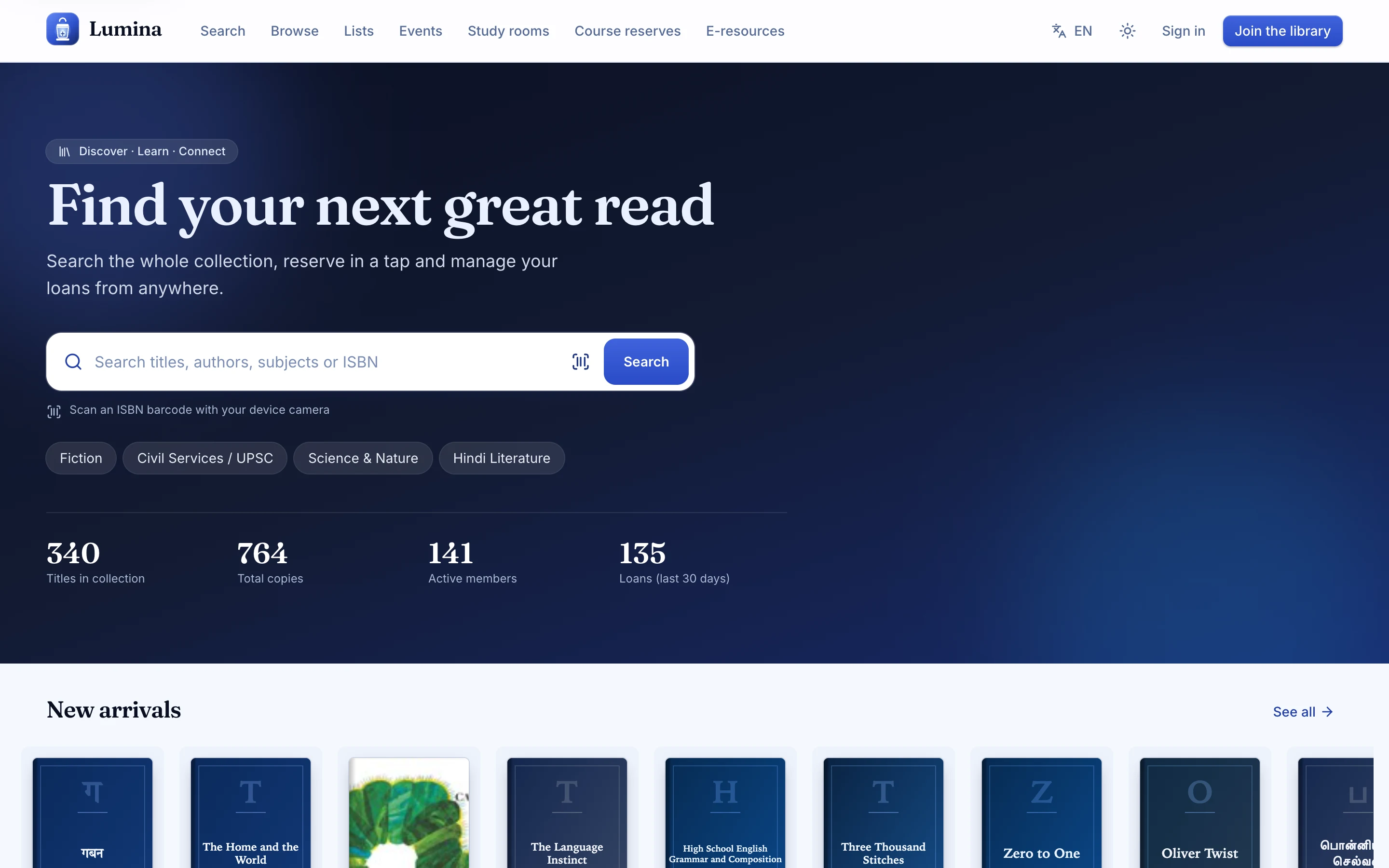
A catalogue readers actually open
Search first, browse second, in English or Hindi.
The library card, in a pocket
Scannable as barcode or QR, wherever the reader is.
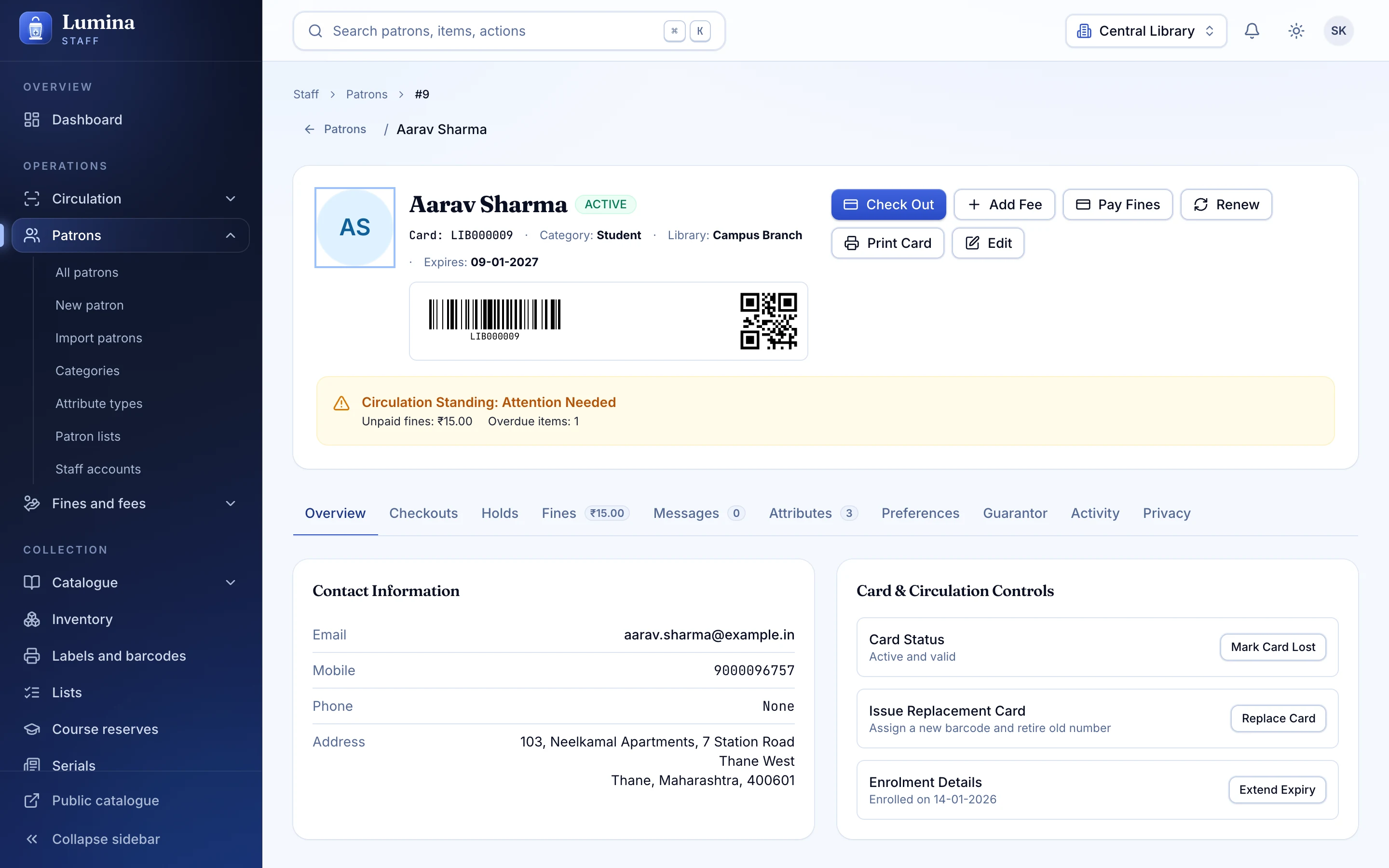
Everything about a member, nothing extra
Loans, fines, holds and messages, with privacy built in.
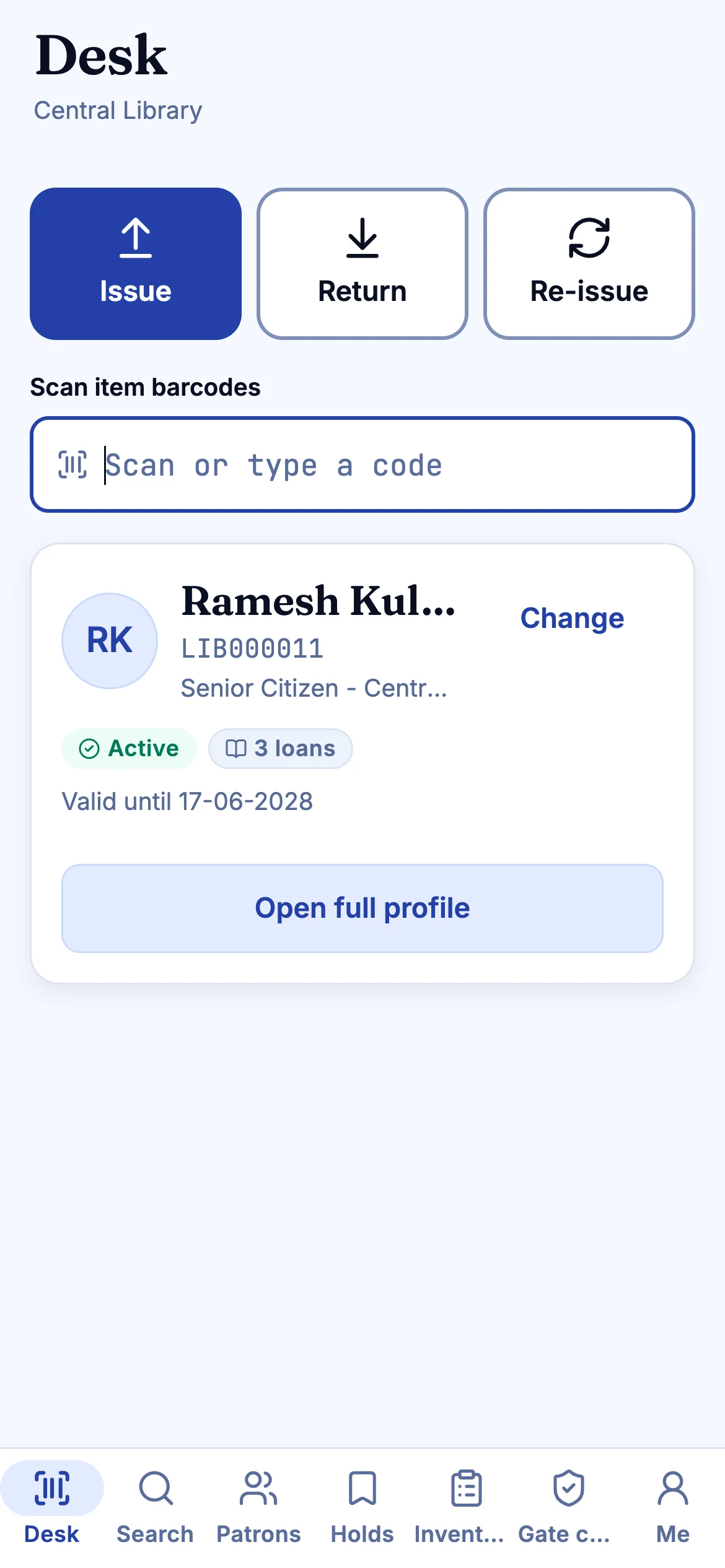
The desk, in your hand
Issue, Return and Re-issue, offline-tolerant.
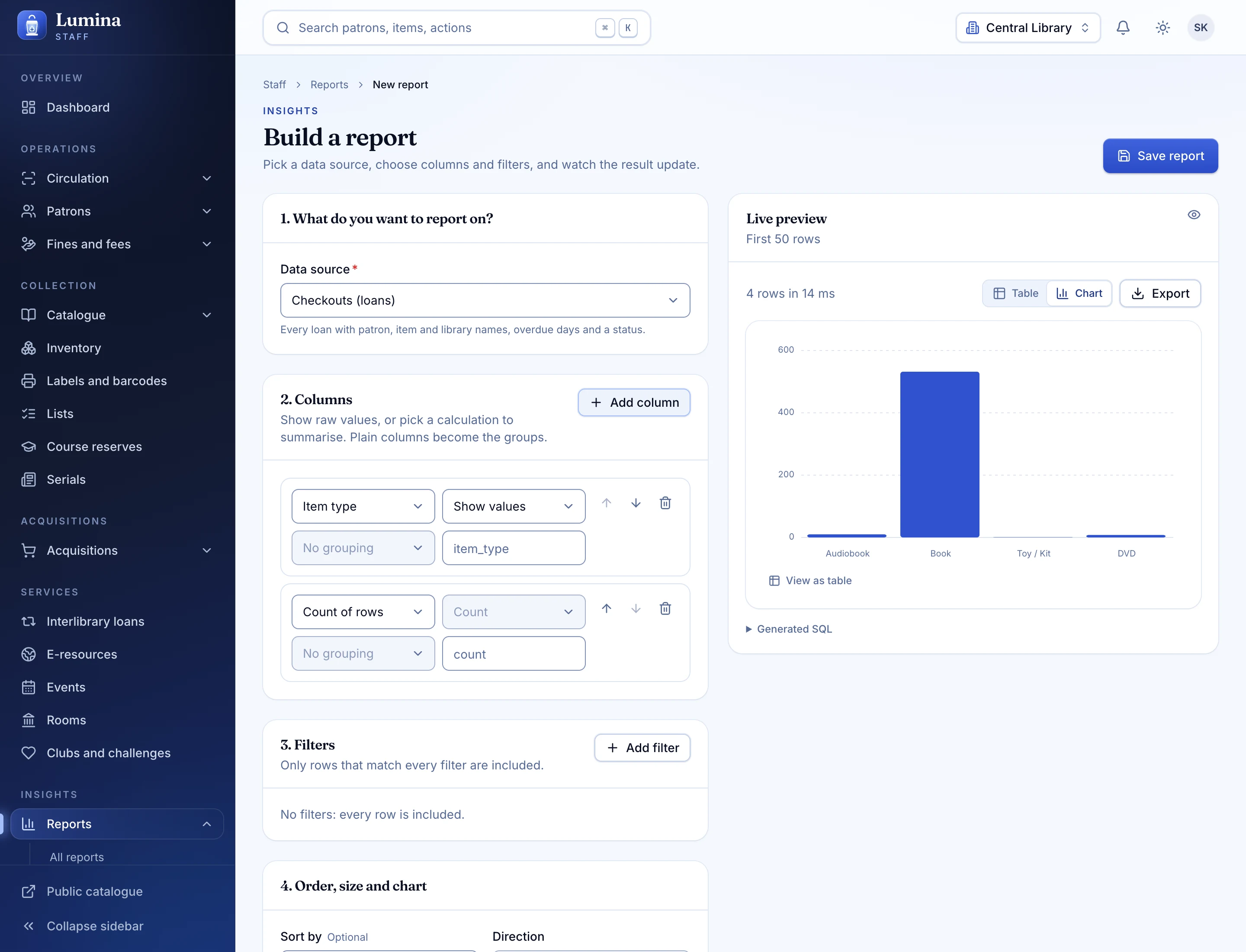
Ask the data, without SQL
A guided builder over 34 ready-made reports.
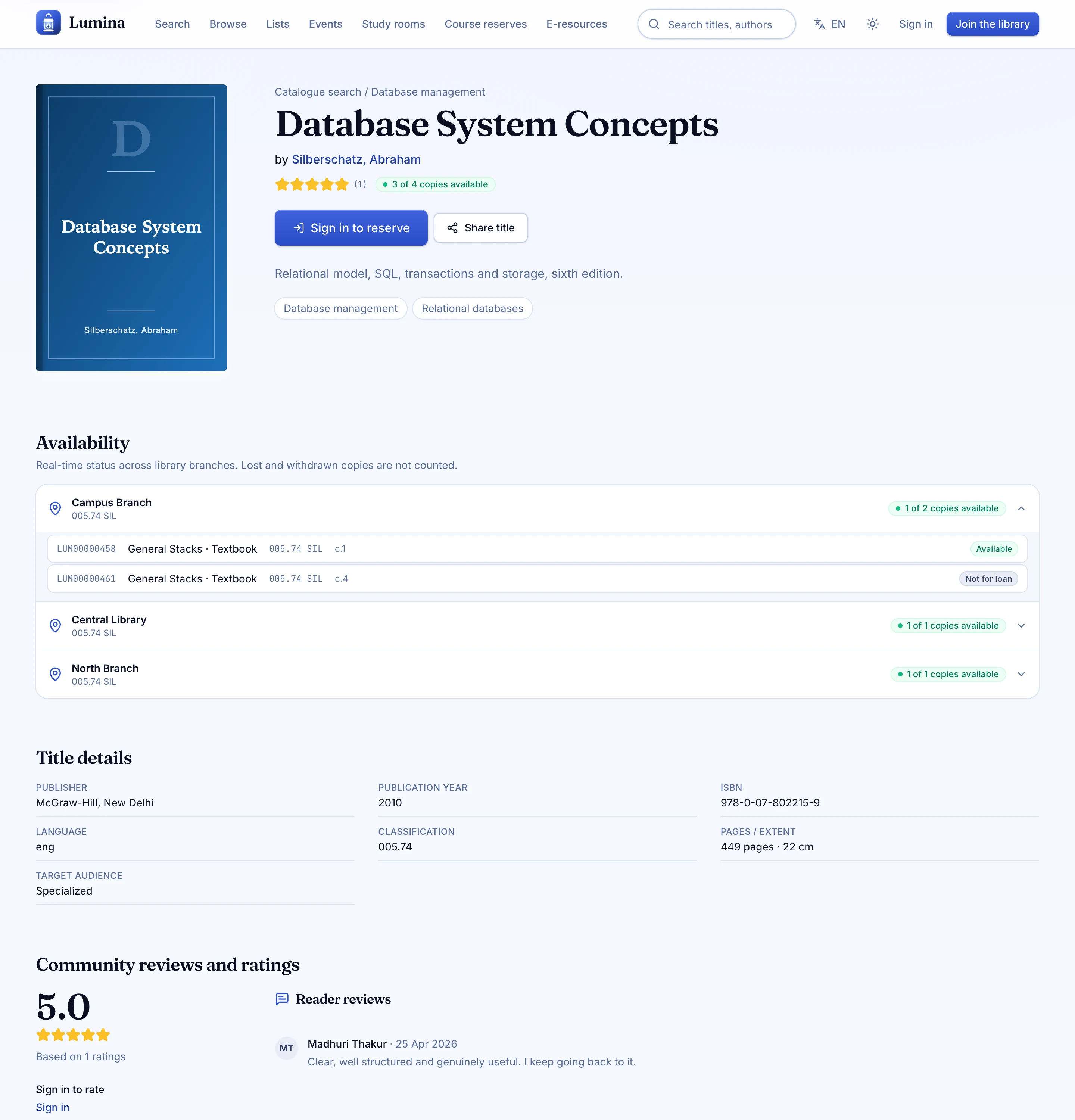
A book page with a point of view
Availability, holds and details without the clutter.
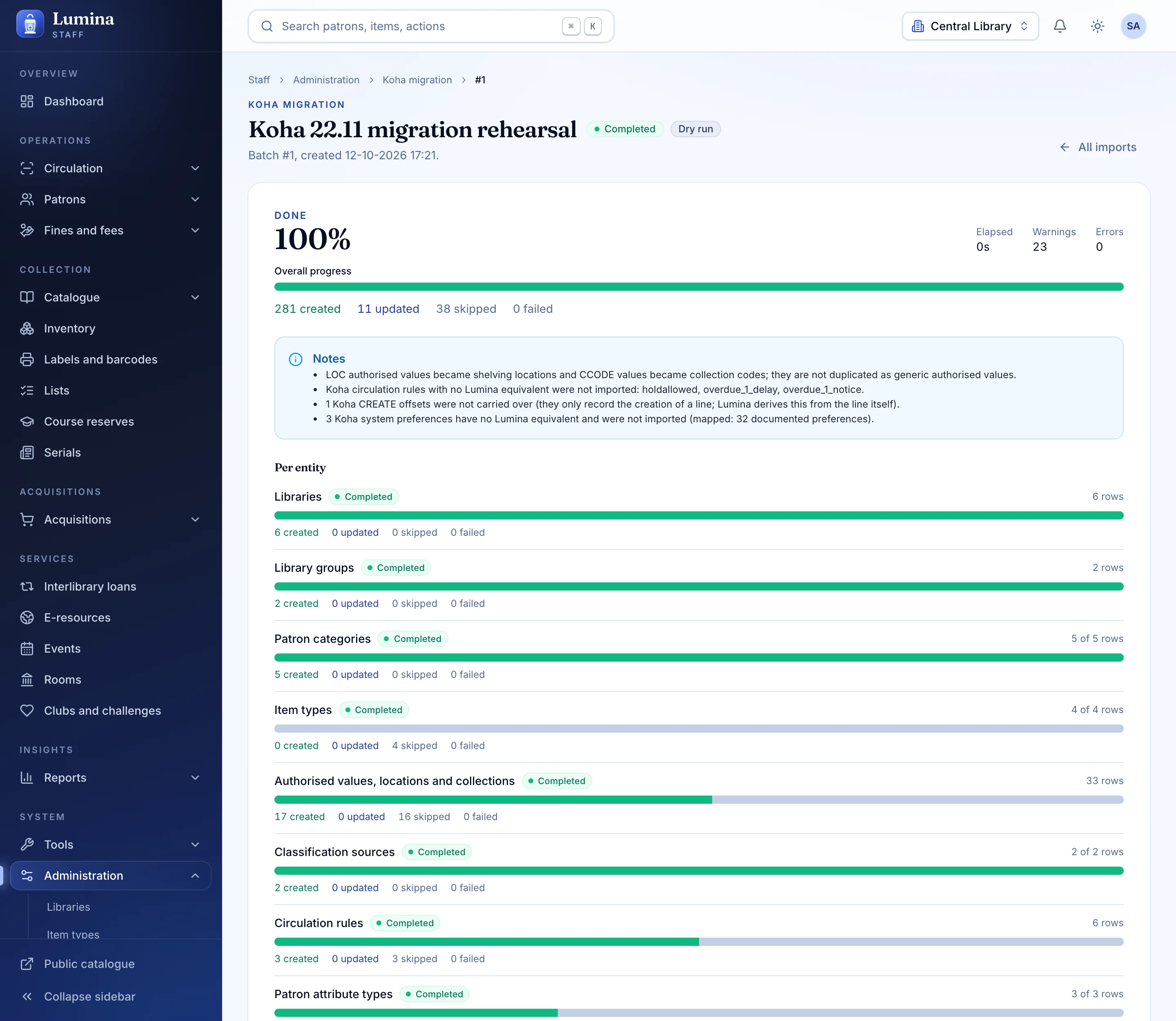
The Koha import, in progress
Live counts, a log, and a reconciliation report at the end.
05 · The whole library
Not a stack of modules bolted together: one data model, one permission system, one audit trail.
Circulation without friction
Check-out, check-in, renewals, holds with queues, transfers, recalls and an offline queue. Three honest answers, always with the reason.
Members and a public catalogue
Cards, categories, a catalogue readers enjoy, and account pages that work on a phone.
MARC21, properly
Frameworks, ISBN lookup, duplicate detection, labels with barcode and QR, staged import.
Acquisitions and serials
Vendors, funds, baskets, GST arithmetic, prediction, claims and routing.
Reports you can read
34 built-in reports, a guided builder, read-only SQL and CSV or Excel export.
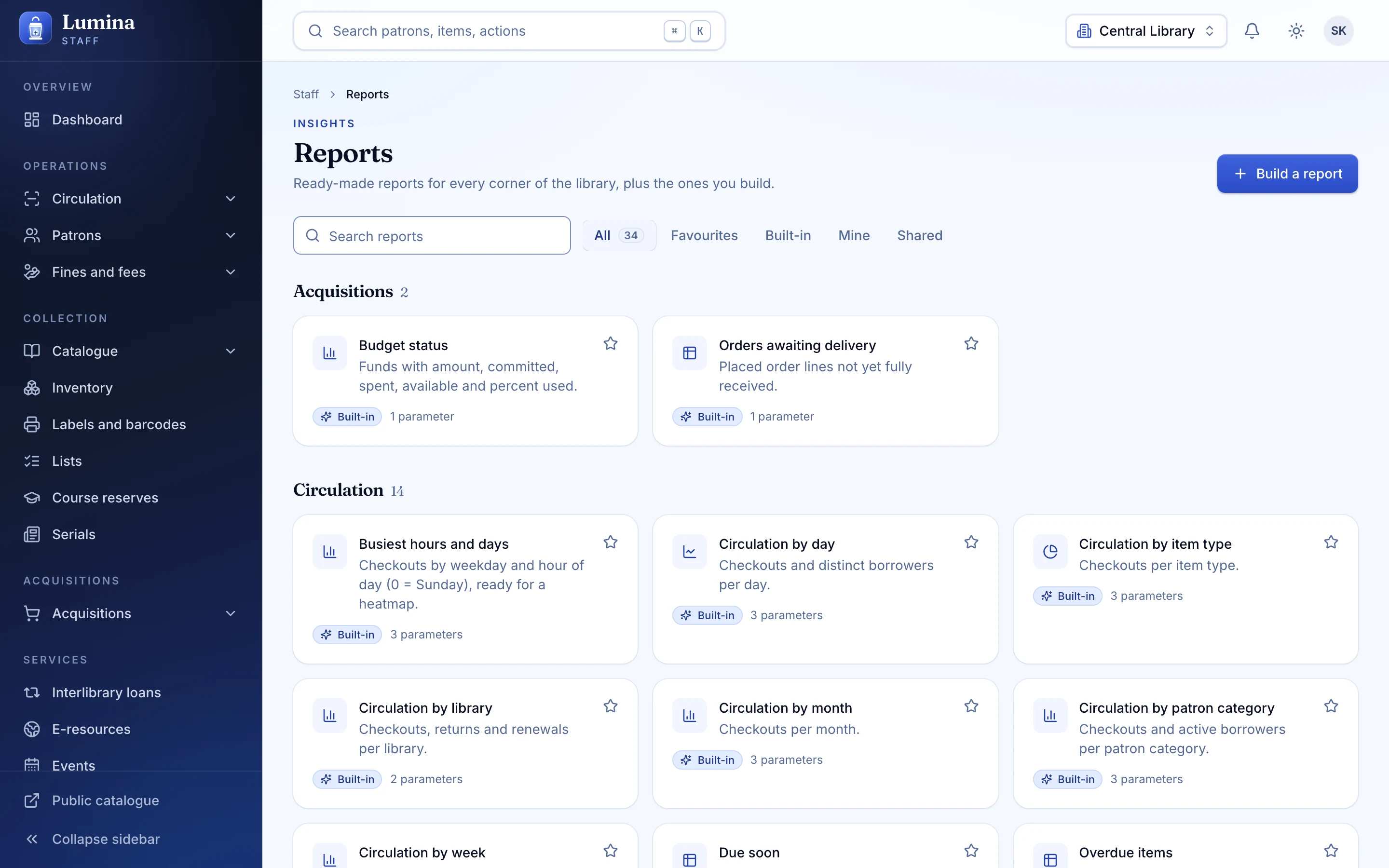
Two mobile apps
A staff app with role-based tabs and a member app with a digital card.
Gate check and kiosk
Green, amber, red at the door. Self-checkout flow in the browser.
The Koha import
Four sources, 42 entity types, a dry run, a rollback.
06 · Coming from Koha
Koha earned its place: twenty years of community and proven breadth. Lumina reads Koha data directly, keeps your ids if you ask, shows you a dry run, and can roll everything back.
Koha
Lumina
Live MySQL. All 42 entities and password hashes. Tested against fakes, not a live Koha server.
SQL dump. koha-dump .sql or .sql.gz. All 42 entities and password hashes. Tested end to end on a synthetic dataset. The recommended cutover path.
CSV and MARC. Folder of CSV plus MARC files. Tested end to end (CSV); MARC reader is unit-tested.
Koha REST API. Partial: 22 of 42 entities and no password hashes. Tested against fakes.
07 · Same idea, different foundations
| Topic | Koha | Lumina |
|---|---|---|
| Preferences | About 910 untyped preferences; several "control library" prefs pick different libraries. | Typed, categorised preferences with choices and defaults, and one setting for each control library. |
| Circulation rules | A wildcard matrix with no simulator; blank and missing mean different things. | One typed rule per scope, resolved by library, patron category and item type, most specific first. |
| Item and patron states | Magic numbers: notforloan, itemlost, a flags bitmask. | Named enums, booleans, and a role plus an explicit permission list. |
| Money | Debits and credits share one signed table; statuses are text; one currency. | Always-positive amounts, explicit credit and debit types, cash register sessions, a Currency model. |
| Overrides at the desk | Stacked dialogs and a switch per preference. | Three-state results with reason codes and permission-gated overrides, inline in the desk. |
| Offline circulation | The web offline mode was removed in 23.11. | Idempotent client ids, a mobile action queue, and reconcile on reconnect. |
| Notices | Template Toolkit, a row per code, transport and language, no preview. | One code with channel variants, a preview with sample data, and a retry queue. |
| Search setup | Elasticsearch mappings and rebuild lag, plus legacy Zebra. | Postgres full-text and trigram search kept current by a trigger; nothing to rebuild. |
Koha is the mature, proven system with a 20-year community. These are the design choices Lumina made differently, from reading Koha's schema, preferences and release notes.
08 · Every kind of library
Schools
Class-friendly desks, reading challenges, and quick issue and return.
See how it fitsColleges and universities
Course reserves, serials, e-resources and the data your reports need.
See how it fitsPublic libraries
Events, rooms, a lovely catalogue and a card in every pocket.
See how it fitsInstitutional and corporate
A quiet, auditable reading room for teams and trusts.
See how it fits09 · Plainly
New products should say so. These are on the roadmap, not in the box today.
- SIP2
- Z39.50 / SRU server
- OAI-PMH
- NCIP
- EDIFACT
- RFID
- Plugins
- Koha's many translations
Nothing is deployed to a public host yet. The Koha MySQL and REST import adapters have been tested against fakes, not a live Koha server. Lumina is a new product, not a twenty-year community. The full status, built and next.
10 · Questions
Is Lumina ready for production use?
Lumina is a new product at version 0.1.0. The API, web app and mobile apps are built and heavily tested, but nothing has been deployed to a public host yet, and it has not been run against a real, production-sized Koha database.
The sensible path today is a pilot: a demo, a rehearsal import of a copy of your data, and a parallel run before you commit.
How is Lumina different from Koha?
Koha is the mature, proven open-source ILS with a community of about twenty years, a large plugin ecosystem and wide standards support. Lumina is deliberately Koha-compatible: it reads Koha data and keeps the concepts librarians already know.
Where it differs is the experience and the foundations: a keyboard-first desk, typed settings instead of about 910 untyped preferences, a mobile staff app, a guard gate-check, events and room booking, a report builder, and Postgres full-text search with nothing to rebuild. The full 188-feature comparison is here.
Can I really move from Koha in a day?
The import itself is fast: 42 entity types, a dry run, and a reconciliation report. For a small or mid-sized library, "a day" is realistic for the mechanical move once you have rehearsed it.
What takes time is the rehearsal, checking the reconciliation report, and training staff. Plan a rehearsal on a copy first and a parallel run if you can. The step-by-step plan is here.
Have you tested the Koha import on a live Koha server?
Not yet, and we say so plainly. The SQL dump and CSV paths run end to end in the test suite against a generated, synthetic Koha dataset. The direct MySQL and the REST adapters have been exercised against in-memory fakes, not a live Koha server.
That is why the guidance is to rehearse on a copy, read the reconciliation report, and use the SQL dump path for the actual cutover.
Will my members keep their passwords?
For the MySQL, SQL dump and file sources, yes: Koha password hashes are carried over and verified at first sign-in, then replaced with a stronger hash. The Koha REST API cannot expose password hashes, so members imported that way will need a reset.
Some older Koha hash schemes are weak at rest until the first sign-in converts them, so treat the migrated database as sensitive.
Can I undo an import?
Yes. Every row written is recorded against the import batch, so a rollback is exact, and re-running the same import is idempotent. You can also preserve Koha ids so references in your other systems stay valid.
What is not built yet?
These are planned and not available today: SIP2, a Z39.50/SRU server, OAI-PMH, NCIP, EDIFACT, RFID, a plugin system and Koha's many translations. Lumina ships in English and Hindi.
If one of those is essential to you (for example SIP2 for third-party self-checkout hardware), tell us when you request a demo so we can be straight about timing. See the full list.
Next step
See your library in Lumina.
Thirty minutes, your questions, and a walk through the desk, the catalogue and the Koha import. No slides.