Koha import · 025.9
A migration engine with 42 entity types, four sources, a dry run, preserved Koha ids, an exact rollback and a reconciliation report. Your members keep their logins.
Four ways in
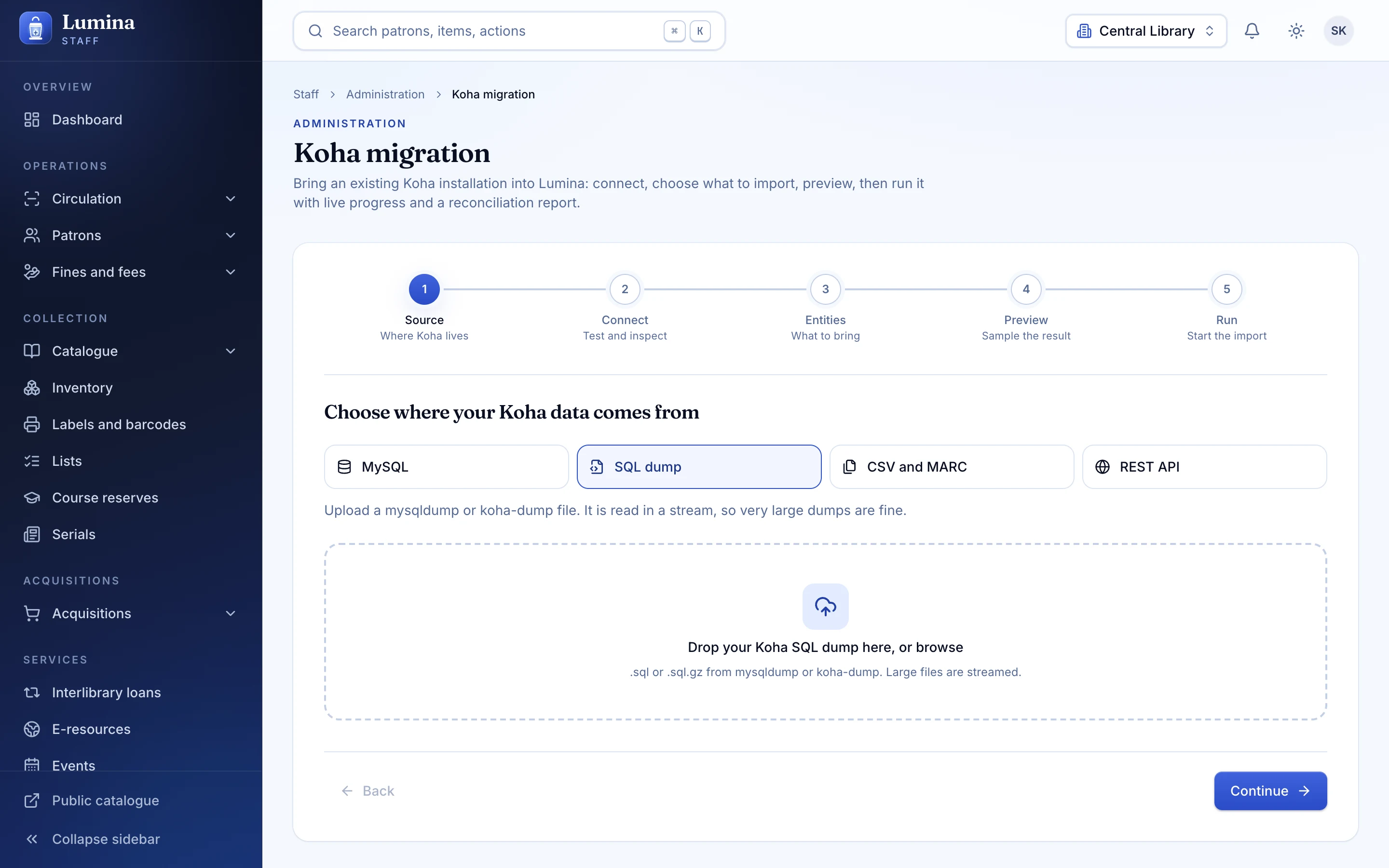
Every source is presented to the engine as Koha-shaped tables, so the transformers are identical whichever way your data arrives. Choose a source to see what it covers and how well it has been tested.
Koha
Lumina
Live MySQL. All 42 entities and password hashes. Tested against fakes, not a live Koha server.
SQL dump. koha-dump .sql or .sql.gz. All 42 entities and password hashes. Tested end to end on a synthetic dataset. The recommended cutover path.
CSV and MARC. Folder of CSV plus MARC files. Tested end to end (CSV); MARC reader is unit-tested.
Koha REST API. Partial: 22 of 42 entities and no password hashes. Tested against fakes.
Safety
Preview, then dry run
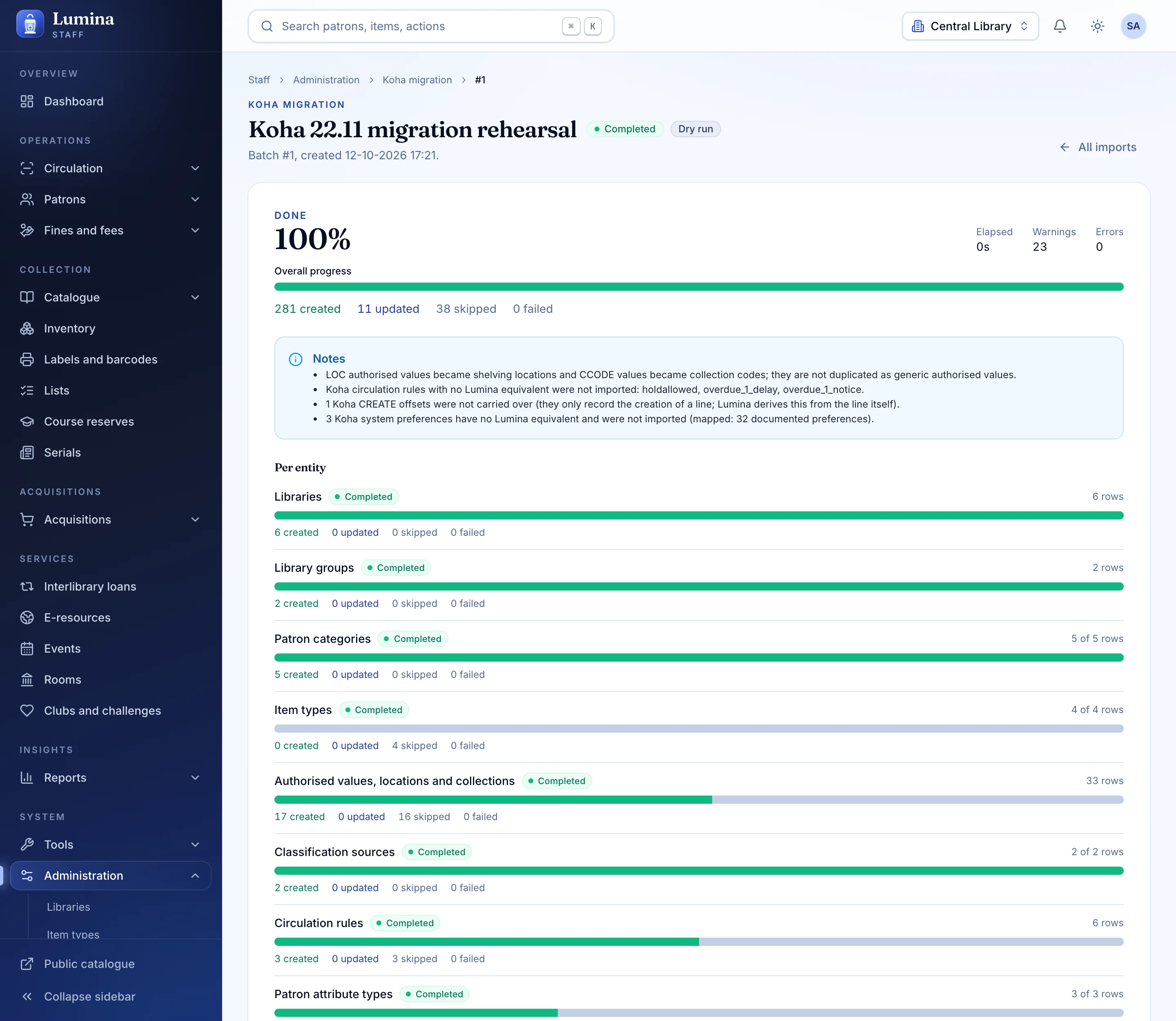
A preview reads 200 rows per table and writes nothing. A dry run counts everything and writes nothing. Only then do you import.
Exact rollback
Every row written is recorded against its batch, so undoing a run is exact rather than approximate.
Idempotent re-runs
Run the same import again and it matches by key instead of duplicating.
Koha ids preserved
Keep your Koha ids if you ask, so references elsewhere stay valid.
A reconciliation report
Counts in, counts out, and every row that needed attention, stored with the batch.
Read-only on Koha
Lumina never writes to Koha. MySQL access is a read-only transaction on a consistent snapshot.
The wizard
Pick a source, choose the entities, run a preview, dry-run it, import, and watch live progress with a log. The same engine powers a command-line tool for scripted rehearsals.
- 34 of the 42 entities are on by default; the rest you opt into
- Time zone setting for naive Koha DATETIME values (default Asia/Kolkata)
- Koha password hashes carried over and upgraded at first sign-in
Plainly
Questions
Does the import change anything in Koha?
No. Lumina only reads Koha. The MySQL adapter opens a read-only, consistent-snapshot transaction and rolls back on close; the dump and file sources never touch the server at all. Everything is written to Lumina.
Which source should we use?
Use a SQL dump for the real cutover: it is the best-tested, covers all 42 entities and can be re-imported as often as you like. Use direct MySQL for fast rehearsals if you can reach the database. Use CSV and MARC files if you only have exports, and the REST API only when you have no database or file access.
Is it proven against a live Koha?
Not yet. The dump and CSV paths run end to end against a synthetic Koha dataset in the test suite. The MySQL and REST adapters have been tested against in-memory fakes. Rehearse on a copy and read the reconciliation report; that is exactly what the dry run is for.
What about our members' passwords?
Koha password hashes are carried over for MySQL, dump and file sources and verified on first sign-in, then upgraded to a stronger hash. The REST API cannot provide hashes, so those members need a password reset.
Can we run it from the web, not the command line?
Yes: there is a web wizard in the staff console and a command-line tool. Both use the same engine. The import runs from a Node host; it has not been verified on the Cloudflare Worker build.
Next step
Rehearse your move.
Bring a copy of your Koha dump. We will run a dry run with you and read the reconciliation report together.