Acquisitions and serials · 025.2
Vendors, funds, baskets, orders, receiving and invoices with GST arithmetic. Serials with prediction, receiving, claims and routing. Course reserves for teaching libraries.
What is in it
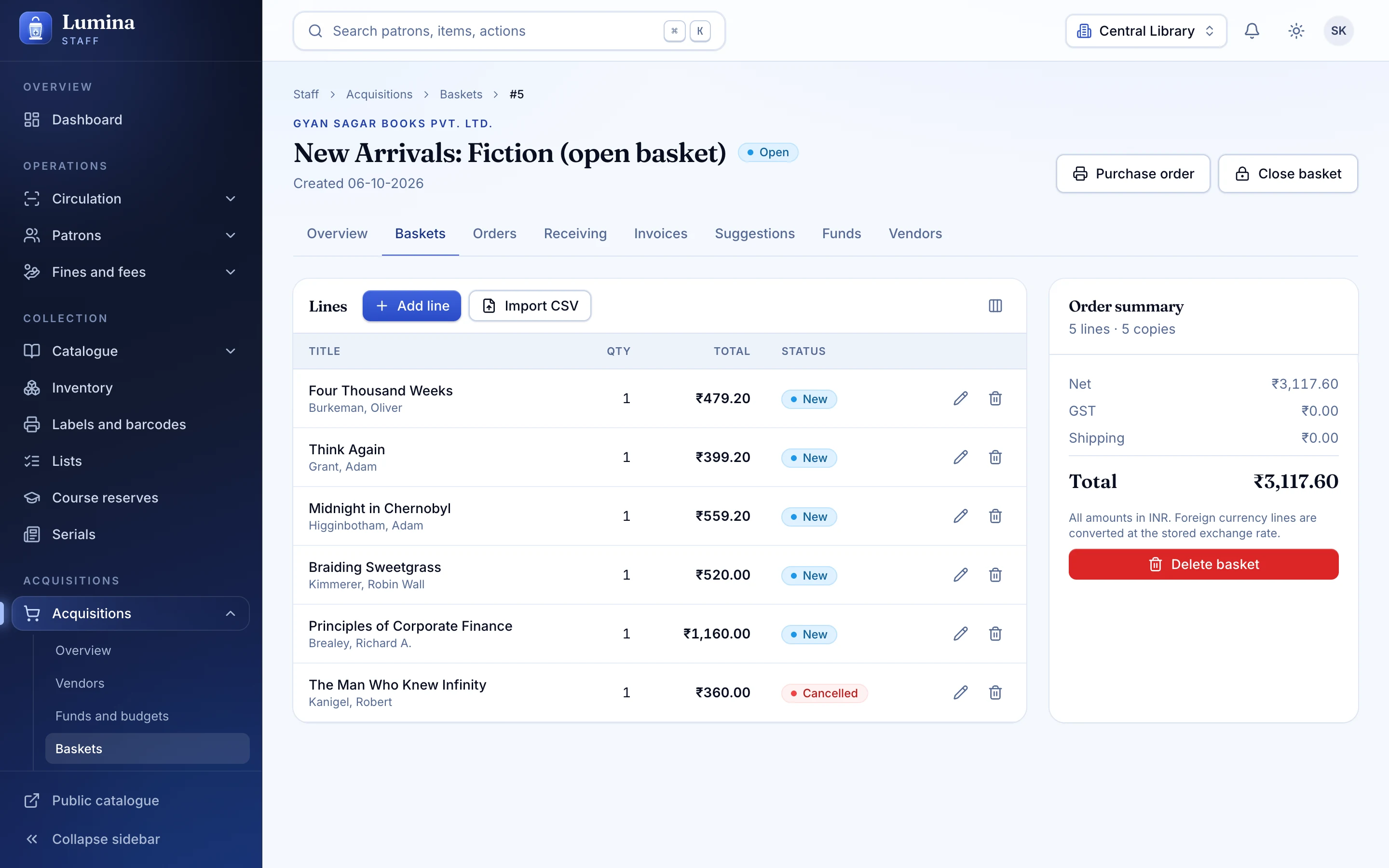
Orders against funds
Vendors, funds, baskets and orders, with receiving and invoices that tie back to what you ordered.
GST arithmetic
Invoice lines and totals follow GST math, so the books balance without a calculator beside the keyboard.
Suggestions
Members suggest, staff review, and approved titles flow into baskets.
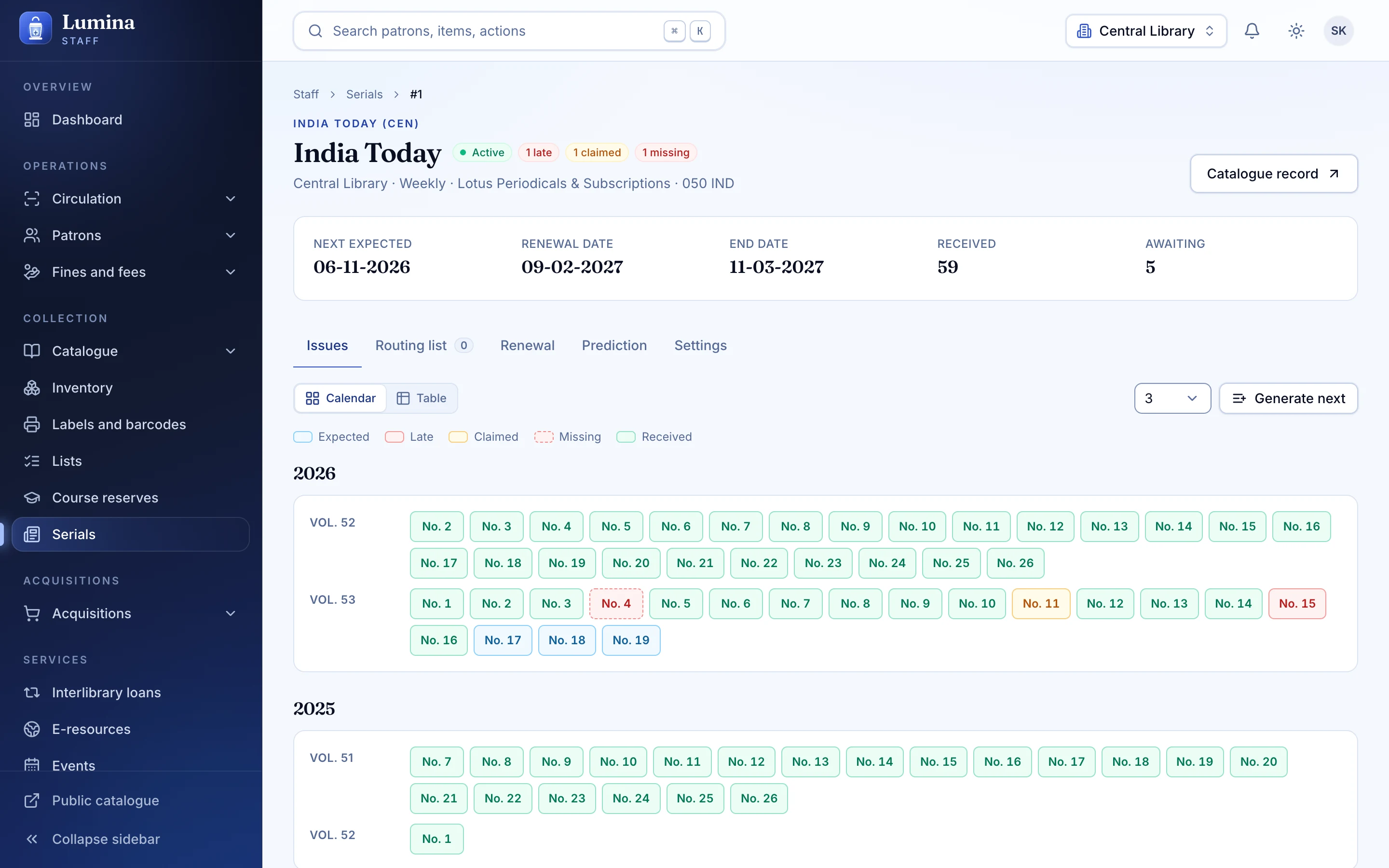
Serial prediction
Predict the next issues from the frequency, receive them, and spot the gaps.
Claims and routing
Claim missing issues from the vendor and route copies to the people who read them first.
Course reserves
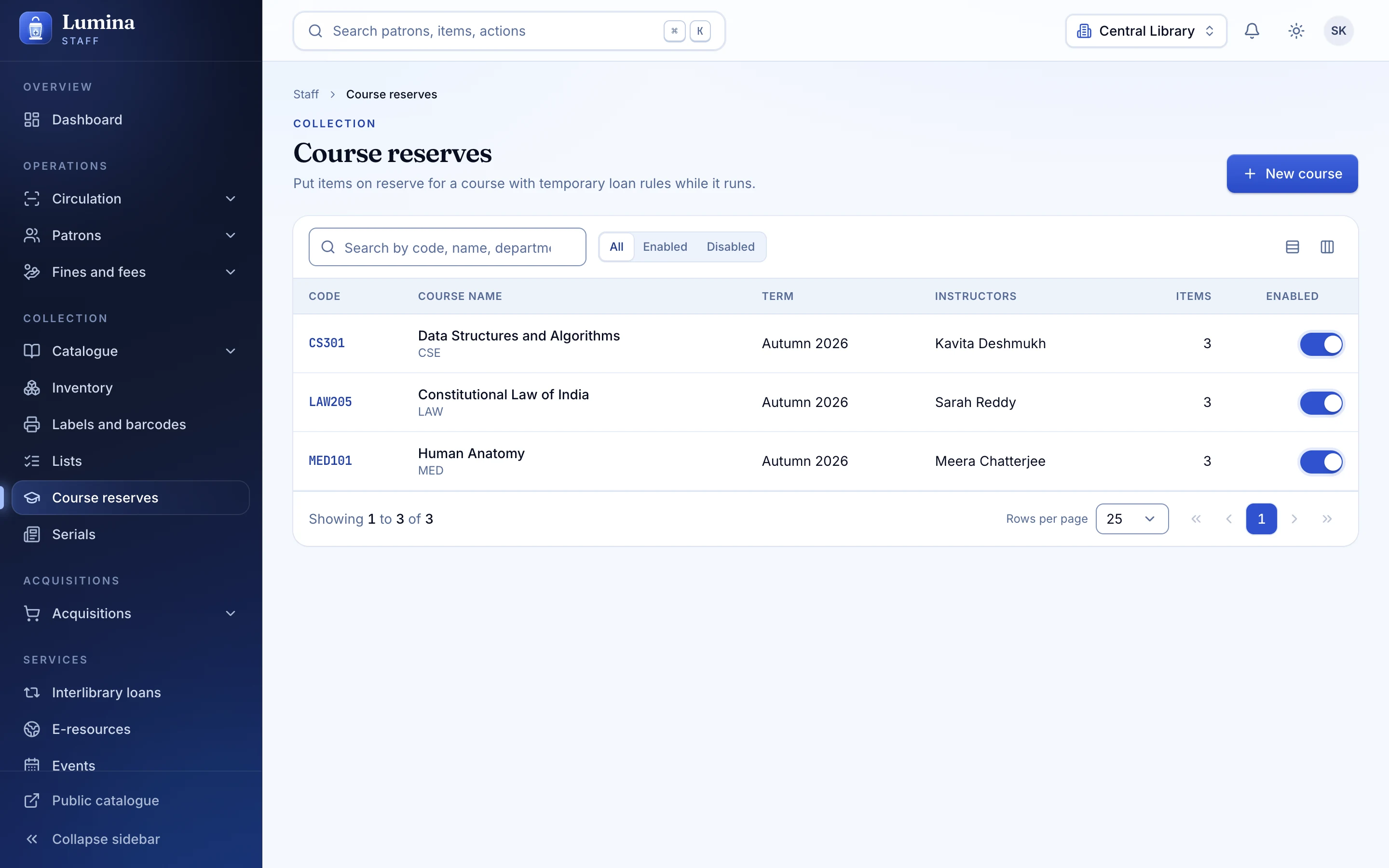
Courses, instructors and reserve items, with temporary overrides and OPAC course pages.
01
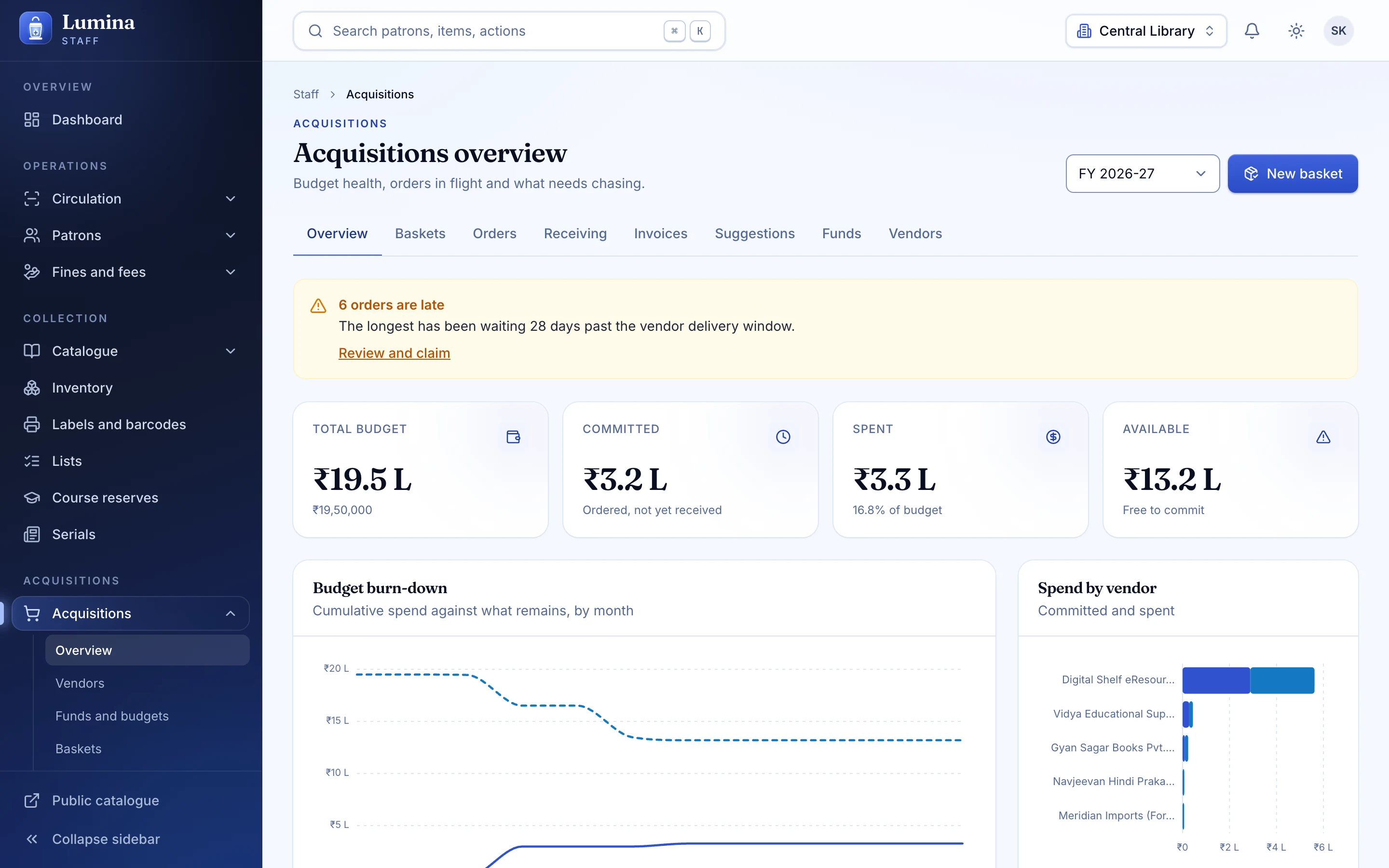
Acquisitions that follow the money
Funds, vendors and baskets in one view; orders move to receiving and invoicing without re-keying.
02
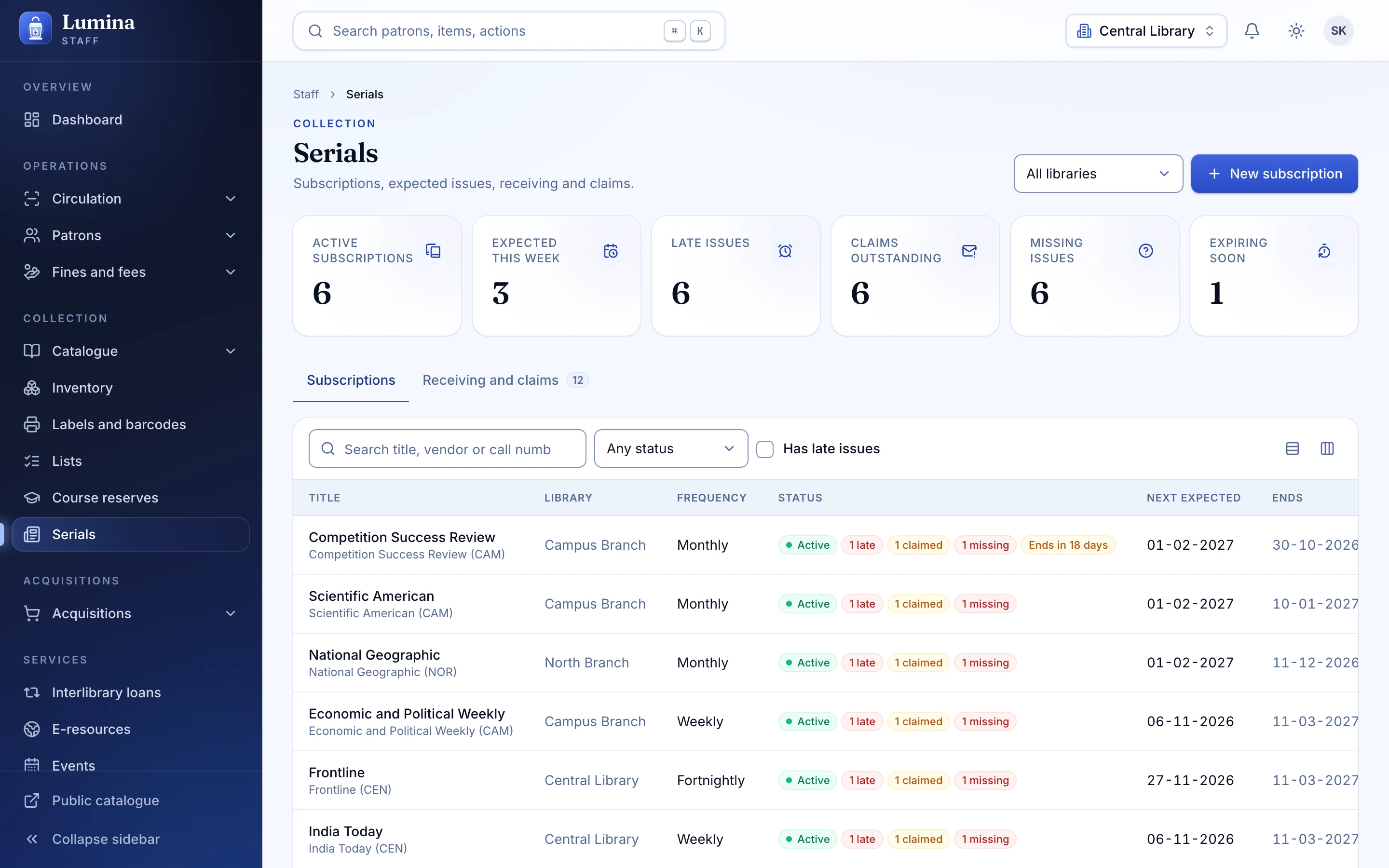
Serials, predicted and tracked
Subscriptions predict their own issues. Receiving is a click, a missing issue is a claim, and routing sends it on.
03
Reserves for the semester
Put the right copies behind the right course with temporary loan rules, and let students find them in the catalogue.
Also included
- Receiving with a scan
- Fund balances
- Invoice reconciliation
- Inventory and shelf reading sessions
- Lists and reviews
Plainly: not built yet
- EDIFACT (quotes, orders, invoices)
- OPAC serial holdings and patron alerts
- Accession register printouts
These are in the Koha feature-parity list as Planned. See the roadmap.
Questions
Can vendors receive orders electronically?
Not through EDIFACT yet; that is planned. Today orders are managed in Lumina and communicated the usual way.
Keep reading
Catalogue
A real MARC21 editor with frameworks, ISBN lookup, duplicate detection, batch edit, barcode and QR labels, and a staged import with match rules.
Read moreReports and analytics
34 built-in reports, a guided report builder for everyone else, read-only SQL reports for the curious, and CSV or Excel export for the committee.
Read moreCirculation
Check-out, check-in, renewals, holds, transfers and fines on a keyboard-first desk.
Read moreNext step
See your library in Lumina.
Thirty minutes, your questions, and a walk through the desk, the catalogue and the Koha import. No slides.