Circulation · 025.6
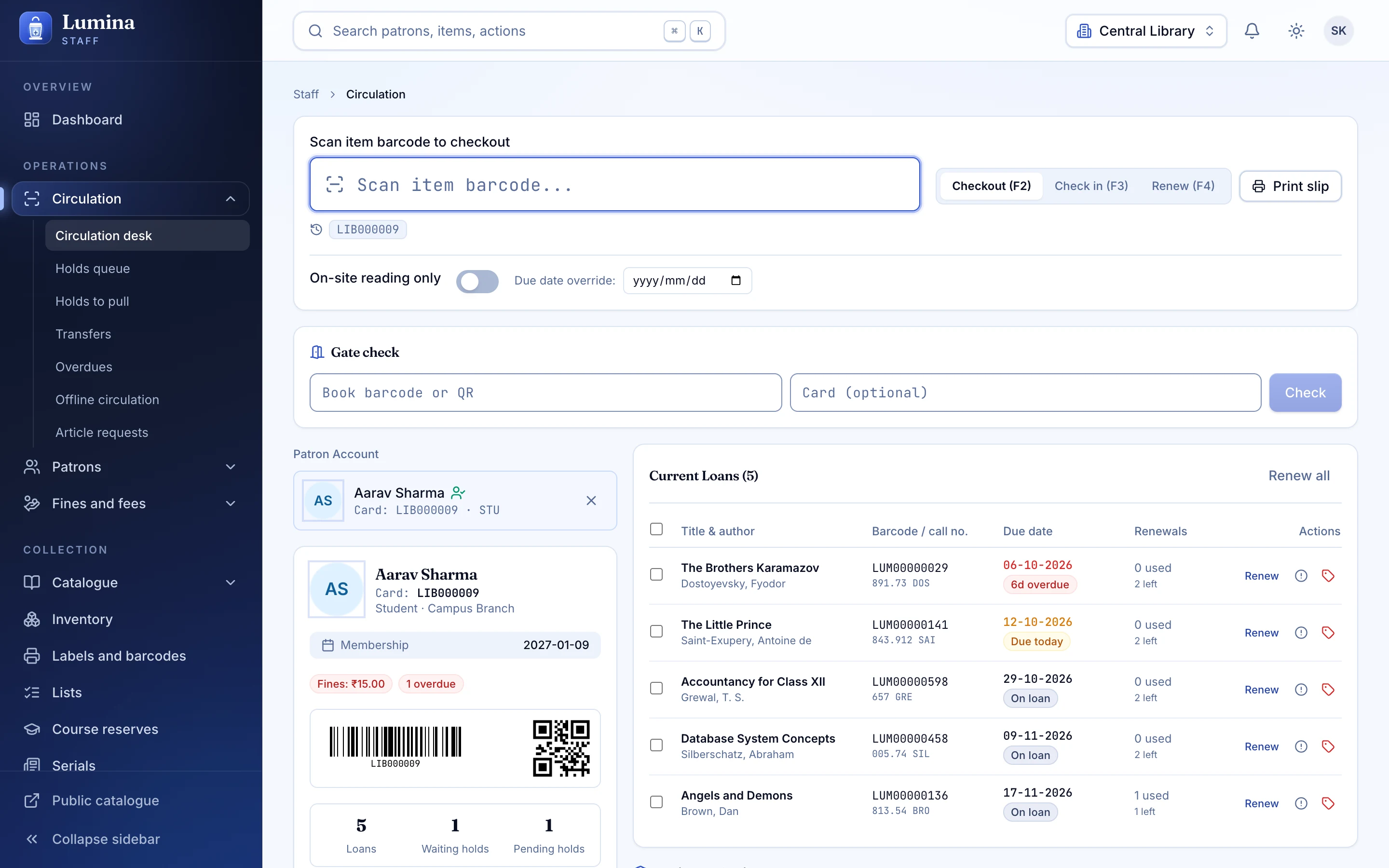
Check-out, check-in, renewals, holds, transfers and fines on a keyboard-first desk. Every transaction comes back as OK, needs your confirmation, or blocked, and always tells you why.
What is in it
Three honest answers
OK, needs confirmation, or blocked. Each comes with a reason code and, where you have permission, an inline override. No stack of dialogs.
Holds that explain themselves
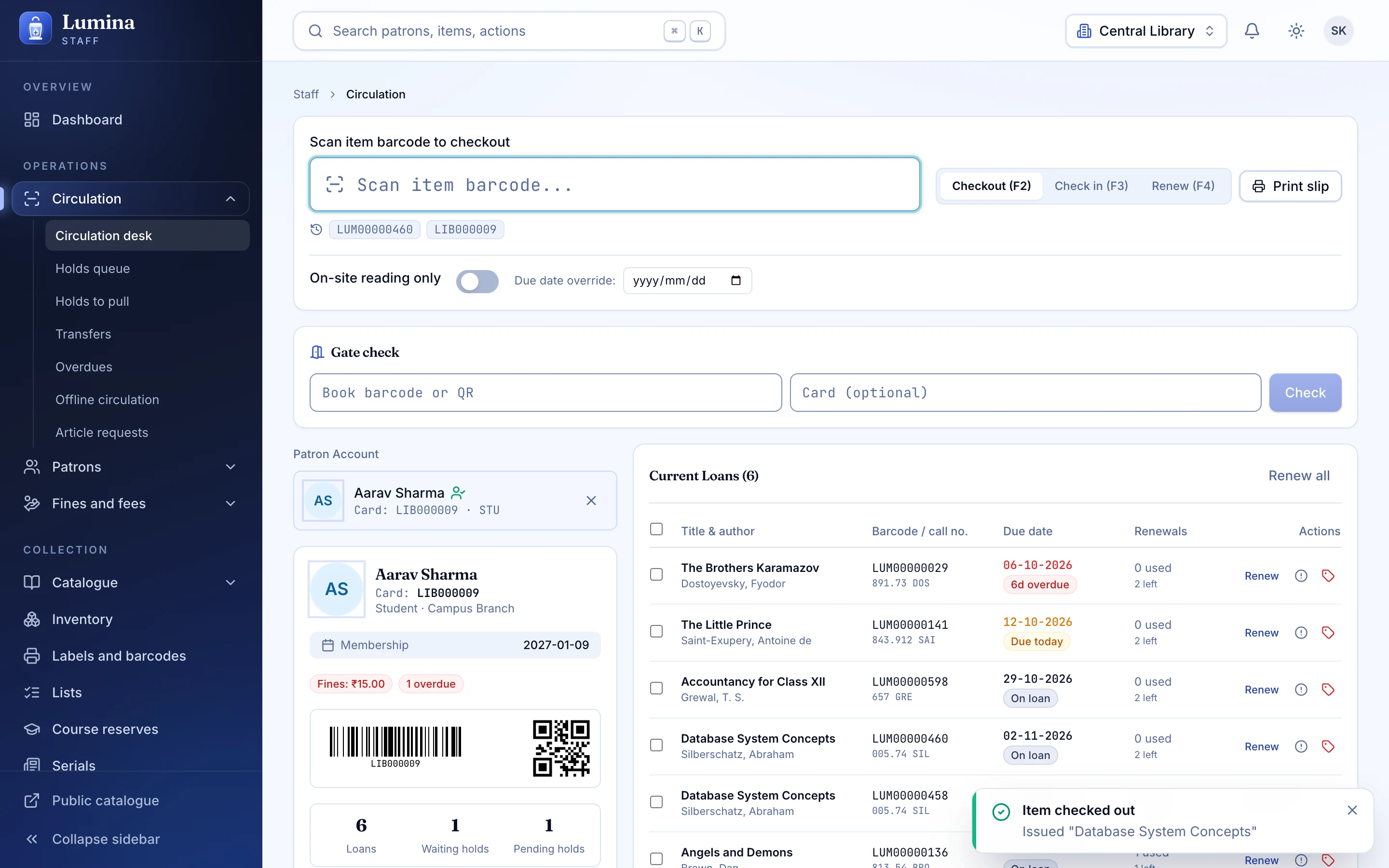
Queues, a pull list and a hold shelf. Members see their place in line; staff see why the queue is the way it is.
Transfers between branches
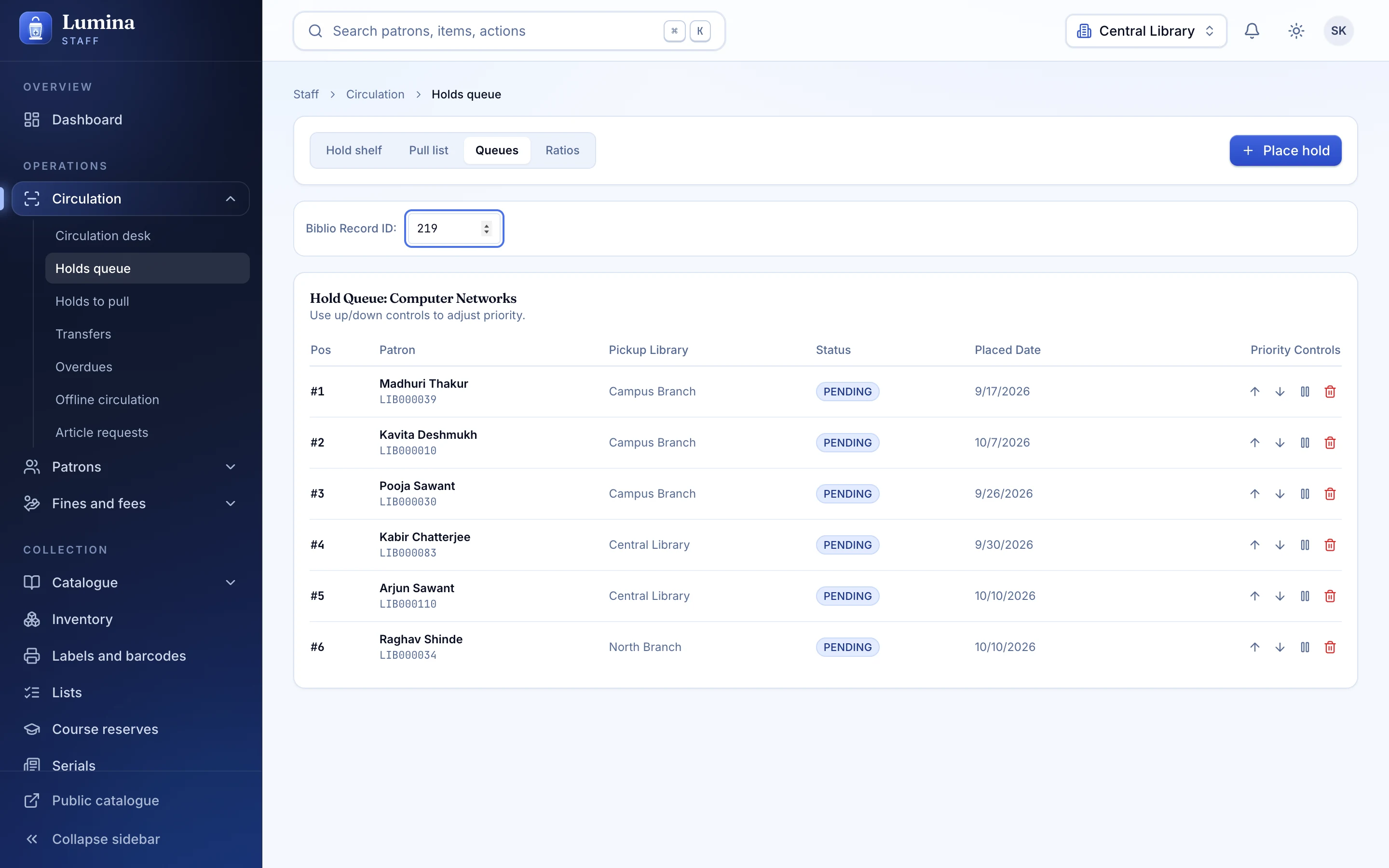
Send a book where the reader is. In-transit items are tracked, not trusted to memory.
Fines in rupees
INR fines and fees, cash registers with sessions, write-off, numbered receipts. Pay at the desk (cash, UPI, card) or online with Razorpay; a sandbox mode is built in for testing.
Notices that arrive
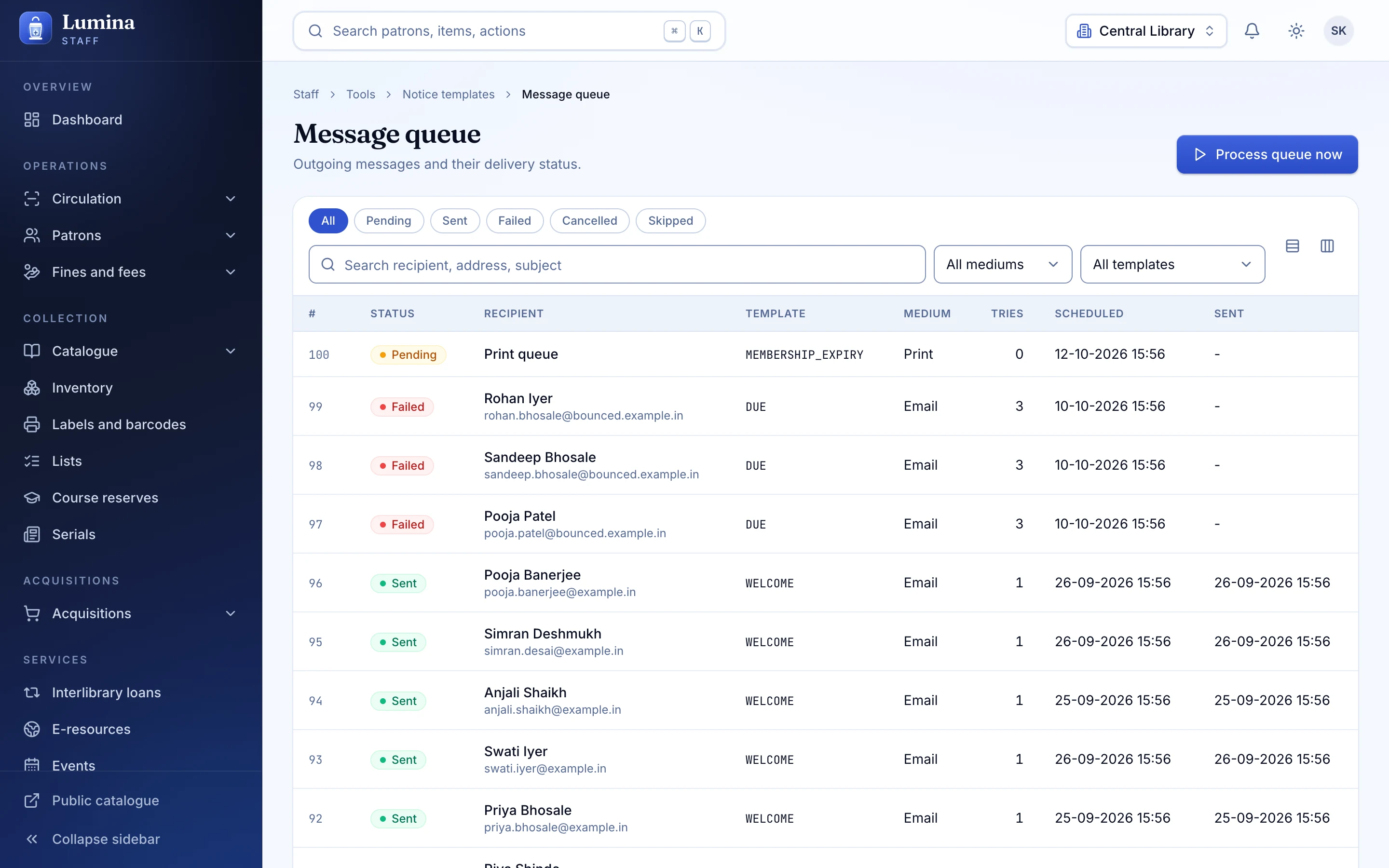
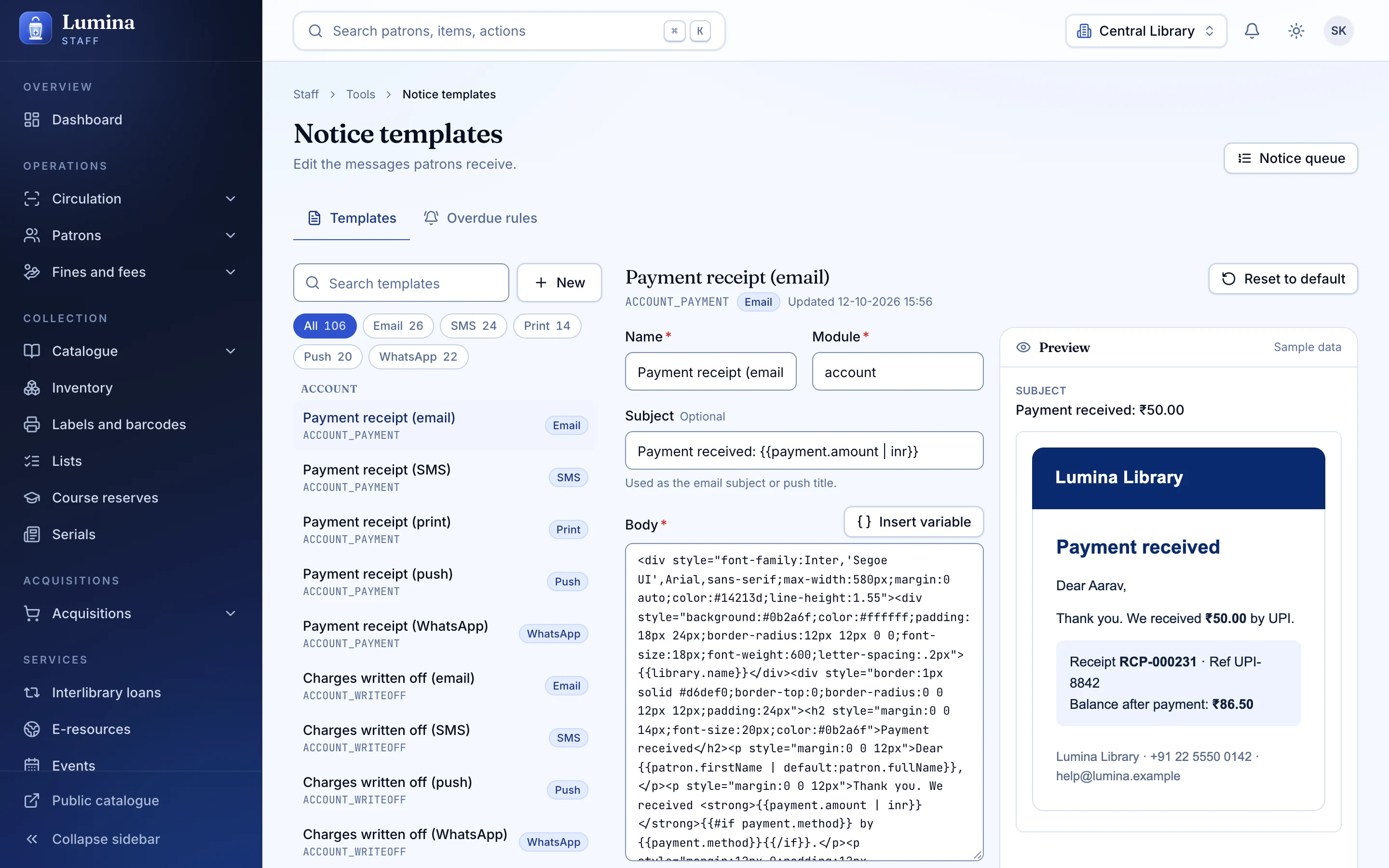
26 built-in templates over email, SMS, WhatsApp and push, with overdue levels, a preview using sample data, and a retry queue.
Offline, without panic
Transactions queue when the network drops and reconcile when it returns, with idempotent client ids so nothing is counted twice.
01
The desk
Scan the member or the book first; either order works. Due dates come from your circulation rules and your calendar, with hard due dates and hourly loans where you need them.
- Re-issue and renew from the same screen
- Choose a due date at checkout when policy allows
- Claims returned and lost items handled with reasons, not workarounds
02
Holds, pull list and shelf
Title-level holds are allocated to the best available copy. The pull list tells staff what to fetch; the hold shelf tells the next reader their book is waiting.
03
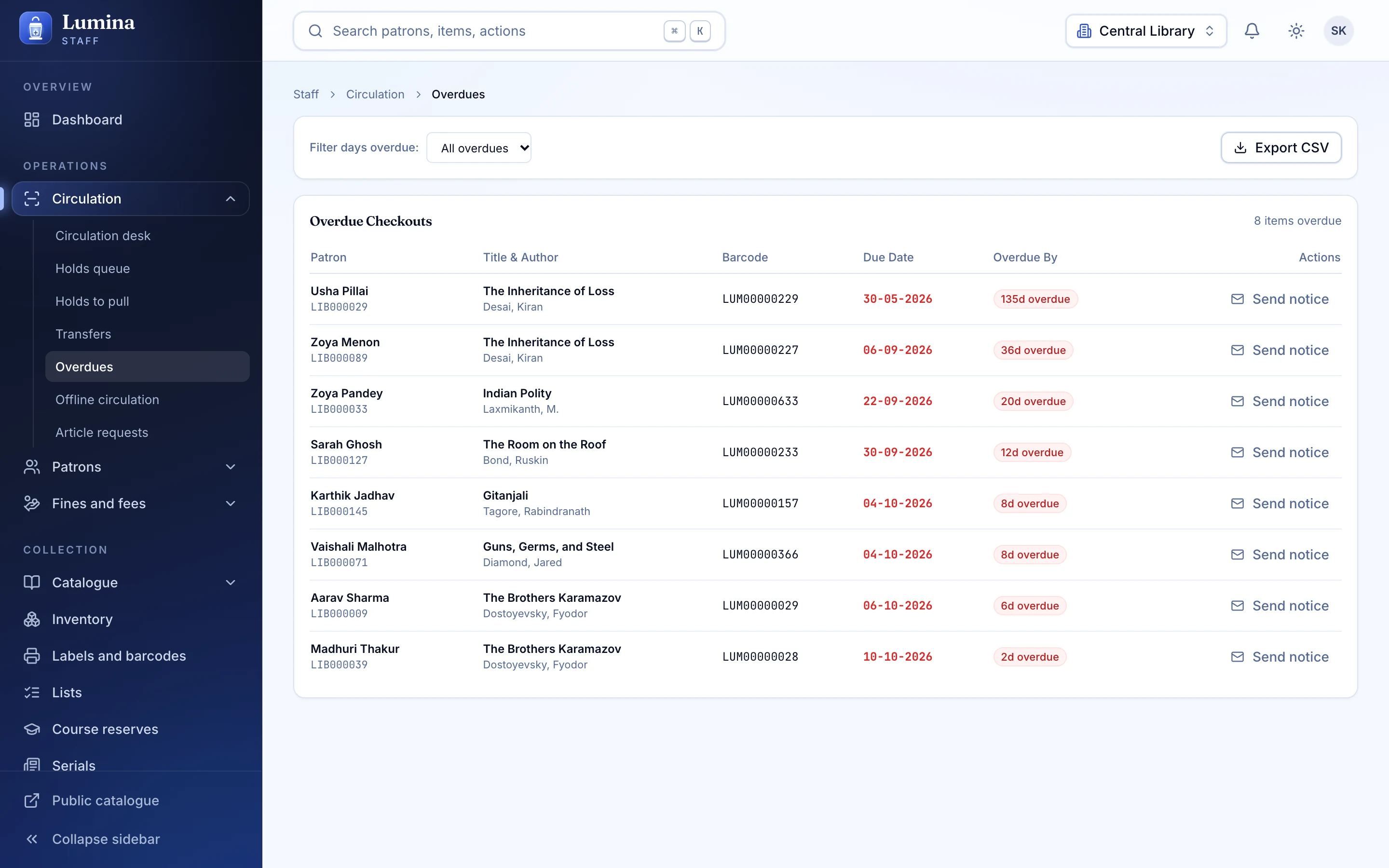
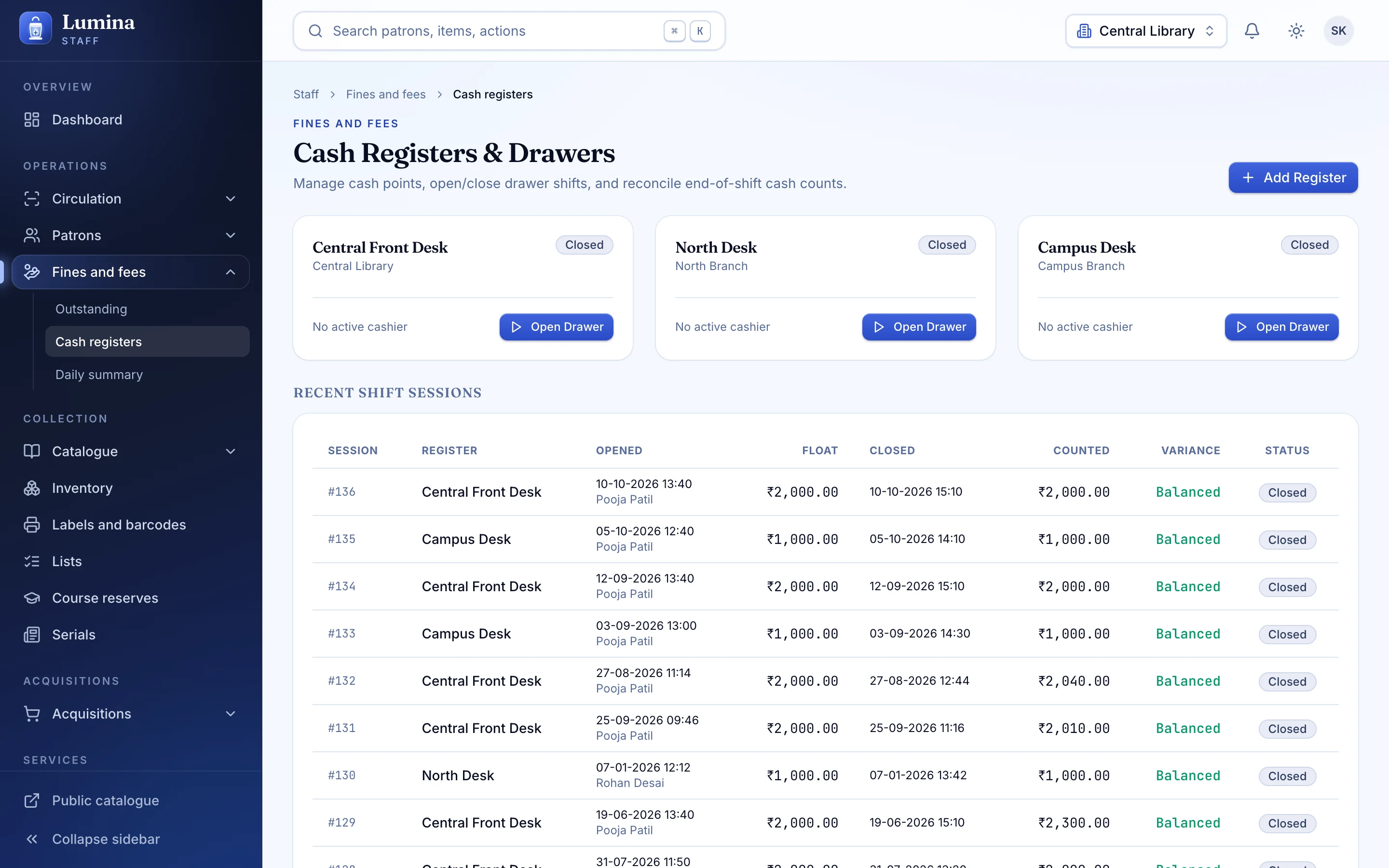
Overdues and money, without the maths
Fines accrue from rules you can read. Staff see who owes what; the cash register keeps the day balanced.
- Cash register sessions with a closing view
- Write-off with an audit trail
- Receipts numbered per payment
04
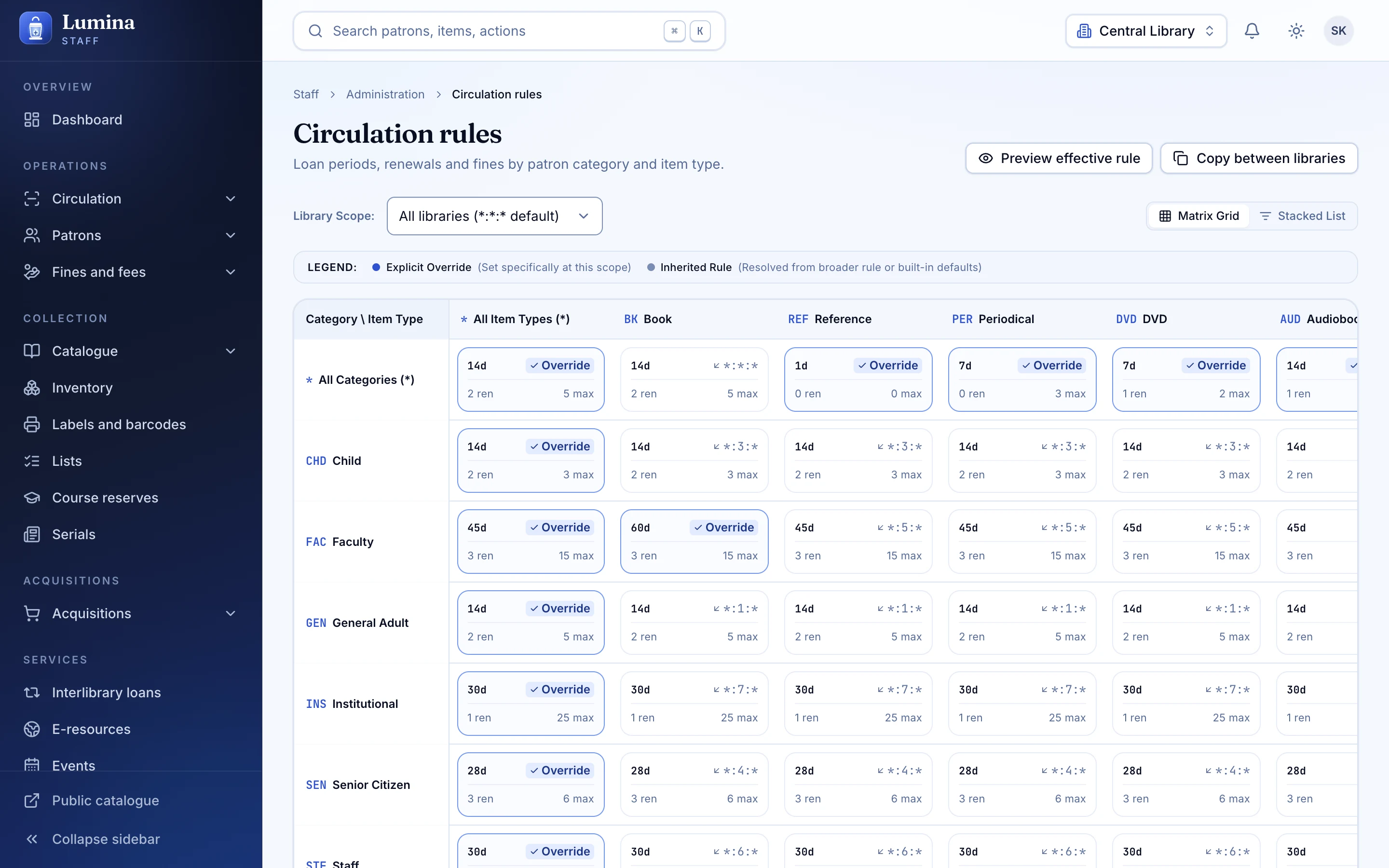
Rules you can read
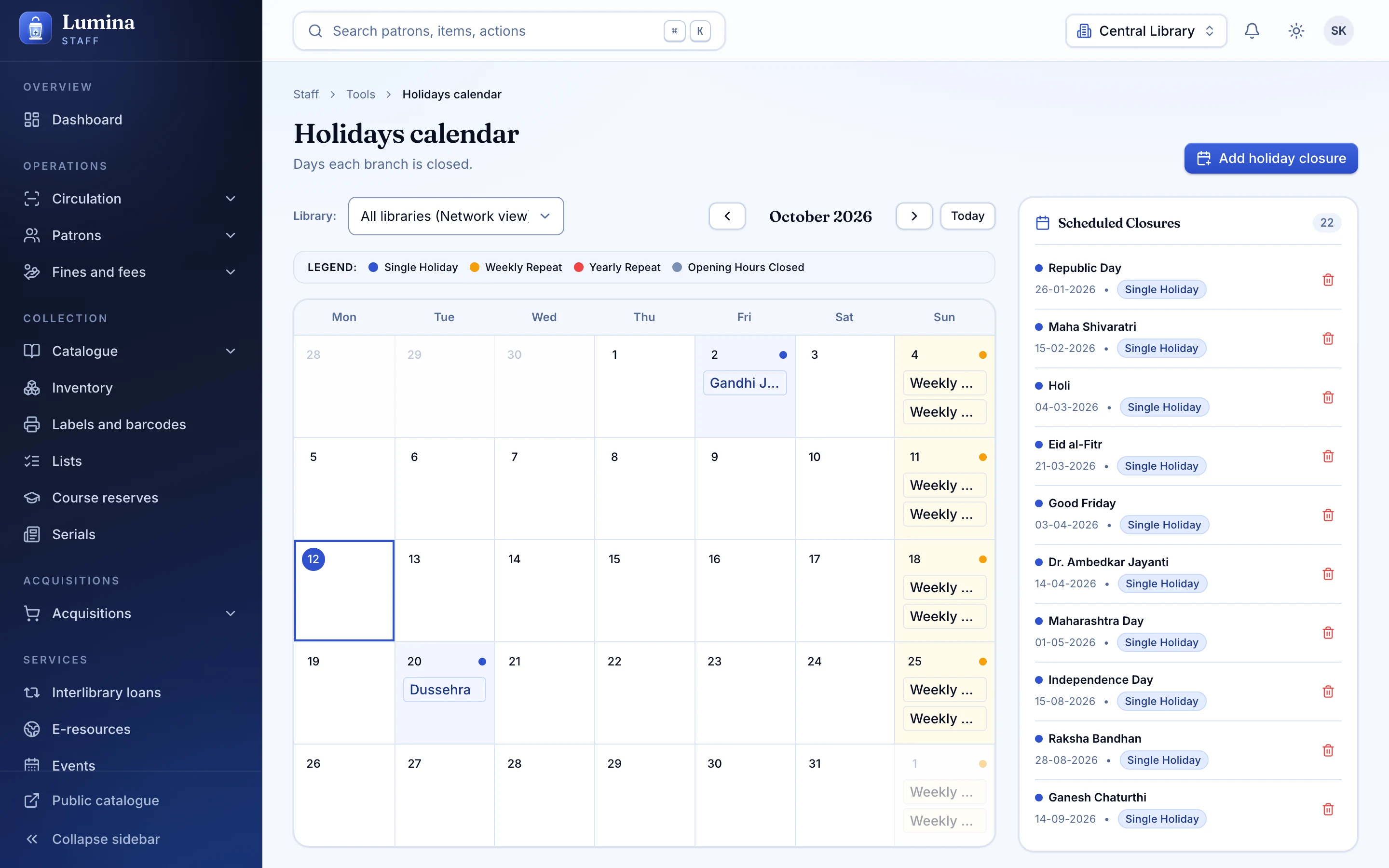
One typed circulation rule per scope, resolved from library, patron category and item type, most specific first. Add a closed day to the calendar and due dates move with it.
05
Notices, with a queue you can see
See what is about to be sent, what has been sent, and what failed and will retry. Each notice has channel variants and a Hindi and English version.
Also included
- Fines accrual and a ledger with always-positive amounts
- Calendar with closed days and holidays
- Scheduled tasks for fines, notices, hold expiry and auto-renew
- Article requests
- Lost and long-overdue handling
- Permission-gated overrides
Plainly: not built yet
- Batch checkout
- Return policy and float groups
- Hold start dates in the future
- Transport cost matrix
- SIP2 for third-party self-checkout
These are in the Koha feature-parity list as Planned. See the roadmap.
Questions
Does the desk work offline?
Yes. Actions queue and reconcile on reconnect, using idempotent client ids so a retry never double-counts. Koha removed its web offline mode in 23.11; Lumina keeps one.
Can we use our own circulation rules?
Yes. Rules are typed and scoped by library, patron category and item type, and the Koha importer carries your existing rules across.
Next step
See your library in Lumina.
Thirty minutes, your questions, and a walk through the desk, the catalogue and the Koha import. No slides.